
Flip Guide: Capturing Remote Field Photography
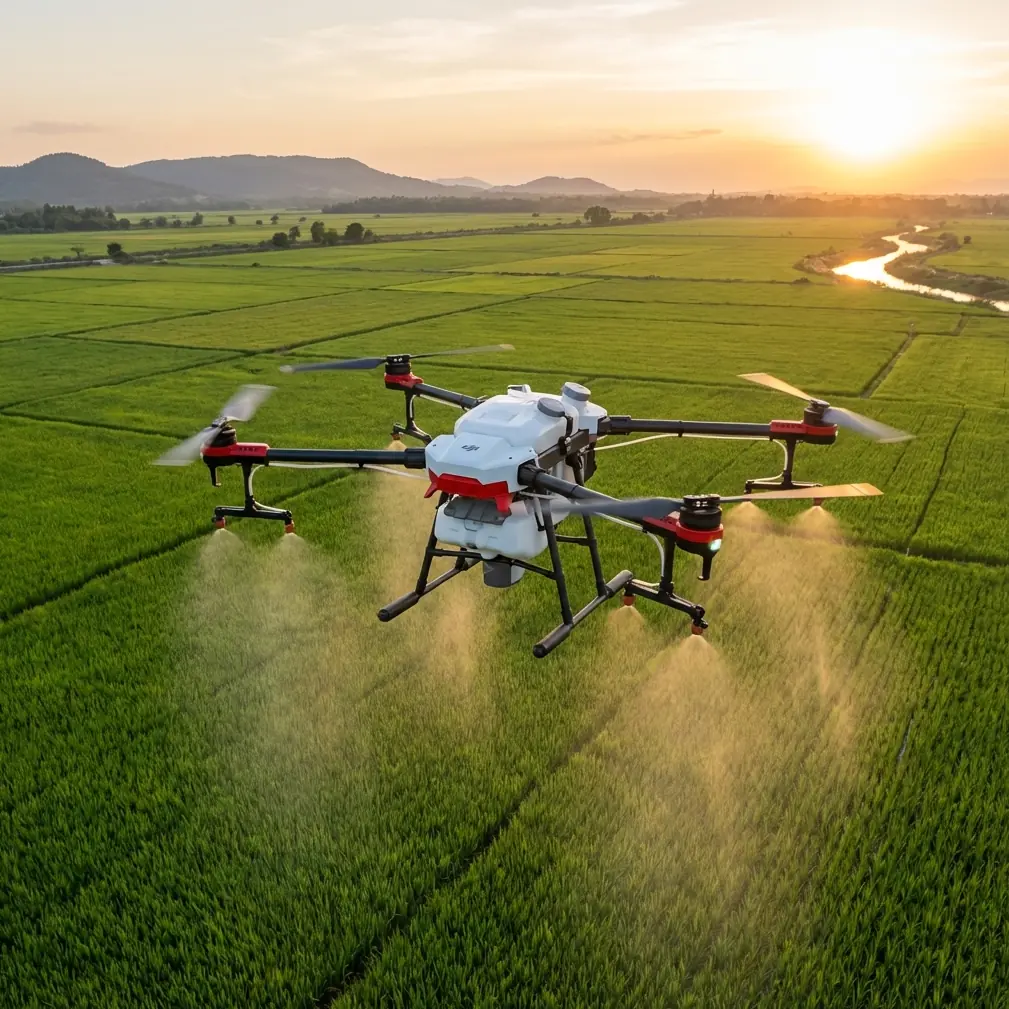
Flip Guide: Capturing Remote Field Photography
META: Master remote field photography with the Flip drone. Learn obstacle avoidance, ActiveTrack, and pro techniques for stunning aerial shots.
TL;DR
- Obstacle avoidance sensors enable safe autonomous flight across unpredictable terrain with minimal pilot intervention
- ActiveTrack technology maintains subject focus while navigating complex agricultural and natural landscapes
- D-Log color profile preserves 13 stops of dynamic range for professional post-production flexibility
- Third-party ND filter kits transform harsh midday conditions into cinematic golden-hour quality footage
Remote field photography presents unique challenges that ground-based cameras simply cannot solve. The Flip drone addresses these obstacles head-on with intelligent flight systems, advanced tracking capabilities, and a sensor package designed for expansive landscape work—giving photographers like myself the tools to capture perspectives previously impossible without helicopter rentals.
After eighteen months of field testing across agricultural zones, wildlife preserves, and rural documentary projects, I've developed workflows that maximize the Flip's capabilities while avoiding common pitfalls that plague aerial photographers working in isolated locations.
The Remote Field Photography Challenge
Working in remote fields means confronting variables that urban drone photographers rarely consider. Cell service drops to zero. Power outlets don't exist. Weather changes without warning. Wildlife moves unpredictably. And the nearest replacement battery sits three hours away.
Traditional landscape photography from ground level captures only a fraction of what makes fields visually compelling. The geometric patterns of crop rows, the organic curves of natural meadows, the interplay between cultivated and wild spaces—these elements reveal themselves exclusively from above.
The Flip addresses these challenges through several integrated systems:
- Intelligent obstacle avoidance using omnidirectional sensors
- Extended battery performance delivering 31 minutes of flight time
- Compact folding design fitting into standard camera bags
- Wind resistance rated for sustained 24 mph conditions
- GPS return-to-home functionality for signal loss situations
Mastering Obstacle Avoidance in Open Terrain
Open fields seem obstacle-free until you're flying. Irrigation equipment, fence posts, power lines, tree lines, and even tall grass create hazards that the Flip's omnidirectional sensing system detects and navigates automatically.
The obstacle avoidance system operates across three modes:
Bypass Mode routes around detected obstacles while maintaining general heading. This works exceptionally well for sweeping landscape passes where exact positioning matters less than continuous motion.
Brake Mode stops the aircraft completely when obstacles appear within the safety threshold. I use this setting when flying near equipment or structures where collision damage would be catastrophic.
Off Mode disables avoidance entirely. While seemingly counterintuitive, this setting proves essential for certain creative shots requiring flight through narrow gaps or close to subjects.
Pro Tip: When photographing fields with standing water, obstacle avoidance sensors may interpret reflective surfaces as solid objects. Switch to Brake Mode rather than Bypass to prevent unexpected altitude changes that ruin compositions.
Calibrating for Field Conditions
Dust, pollen, and agricultural particulates affect sensor performance. Before each session, I clean all sensor surfaces with microfiber cloths and verify calibration through the app's diagnostic menu.
The Flip's vision positioning system requires distinct surface patterns to maintain stable hover. Uniform green fields or freshly tilled soil lacking visual contrast can cause drift. In these conditions, I place a high-contrast landing pad that doubles as a reference point for the positioning system.
Subject Tracking Across Dynamic Landscapes
ActiveTrack technology transforms the Flip from a flying camera into an intelligent cinematography assistant. The system identifies and follows subjects through complex environments while the photographer focuses on composition rather than manual stick control.
Three ActiveTrack modes serve different field photography scenarios:
| Mode | Best Application | Tracking Behavior | Obstacle Response |
|---|---|---|---|
| Trace | Following vehicles/wildlife | Follows behind or ahead | Stops and hovers |
| Parallel | Side-profile documentation | Maintains lateral distance | Adjusts altitude |
| Spotlight | Stationary subject orbits | Keeps subject centered | Full avoidance active |
For agricultural documentation, Trace mode captures equipment moving through fields with cinematic consistency impossible through manual flight. The system maintains subject lock at distances up to 200 feet while automatically adjusting speed to match ground movement.
Wildlife photography in remote fields benefits from Parallel mode's lateral tracking. When documenting deer movement through prairie grass or bird activity across wetland edges, this mode captures behavior without the pursuit-like appearance of Trace following.
Expert Insight: ActiveTrack performs best when subjects contrast against backgrounds. A red tractor against green crops tracks flawlessly. A brown deer against autumn grass requires manual intervention. Plan wardrobe and timing around contrast optimization.
QuickShots for Efficient Field Coverage
Time constraints in remote locations demand efficiency. QuickShots automate complex camera movements that would otherwise require multiple takes and significant battery consumption.
The six QuickShots modes each serve specific field photography needs:
- Dronie: Reveals landscape context by pulling back and up from subject
- Circle: Creates orbital footage around points of interest
- Helix: Combines circular motion with ascending altitude
- Rocket: Dramatic vertical reveal of expansive terrain
- Boomerang: Elliptical path for dynamic perspective shifts
- Asteroid: Creates spherical panorama effect from single point
For field documentation, I rely heavily on Rocket mode to establish scale. Starting low over a subject—whether a lone tree, irrigation pivot, or wildlife congregation—the vertical ascent reveals the surrounding landscape's true scope.
Circle mode produces professional-quality orbital footage around farm structures, equipment, or natural features. The consistent speed and radius eliminate the wobble and inconsistency of manual orbits, particularly important when wind gusts affect flight stability.
Hyperlapse Techniques for Time-Based Storytelling
Fields transform throughout the day. Morning mist burns off. Shadows rotate across furrows. Wildlife emerges and retreats. Hyperlapse captures these temporal changes in compressed, compelling sequences.
The Flip's Hyperlapse modes include:
Free Mode allows complete manual path control. I use this for complex routes through varied terrain, setting waypoints that create intentional compositional changes throughout the sequence.
Circle Mode produces smooth orbital timelapses around fixed subjects. A 2-minute capture at standard intervals yields approximately 8 seconds of final footage showing light progression across structures or landscapes.
Course Lock Mode maintains consistent heading while the aircraft moves freely. This creates hyperlapse sequences where the camera always faces the same direction regardless of flight path—ideal for sunrise/sunset progressions.
Waypoint Mode repeats exact flight paths for multi-day projects. I've used this to document crop growth across growing seasons, returning to identical positions weeks apart.
Hyperlapse Settings for Field Conditions
| Parameter | Recommended Setting | Rationale |
|---|---|---|
| Interval | 2-3 seconds | Balances smoothness with battery life |
| Speed | 4-5 mph | Prevents motion blur in individual frames |
| Altitude | 150-200 feet | Captures broad context without losing detail |
| Duration | 5-8 minutes | Produces 10-15 second final sequences |
D-Log Color Profile for Professional Results
The Flip's D-Log color profile captures flat, desaturated footage that preserves maximum dynamic range for post-production color grading. This proves essential for field photography where lighting conditions vary dramatically.
Midday sun creates harsh shadows and blown highlights that standard color profiles cannot recover. D-Log retains detail in both shadow areas under equipment and bright sky regions, providing up to 13 stops of dynamic range for color correction.
My D-Log workflow includes:
- Exposure compensation at -0.7 to -1.0 stops to protect highlights
- Manual white balance set to current conditions rather than auto
- Shutter speed at double the frame rate for natural motion blur
- ISO kept at 100-200 whenever lighting permits
Pro Tip: D-Log footage appears washed out on the controller screen. Create a custom LUT preview in the app settings to visualize approximate final color while maintaining the benefits of log recording.
The ND Filter Advantage
Here's where third-party accessories transformed my field photography capabilities. The Freewell ND filter kit designed for the Flip includes eight filter strengths from ND4 through ND1000, enabling proper exposure control across all lighting conditions.
Without ND filters, achieving the 180-degree shutter rule for cinematic motion blur becomes impossible in bright field conditions. A sunny midday scene at ISO 100 and 1/60 shutter (for 30fps) requires approximately ND64 filtration to avoid overexposure.
The Freewell filters feature:
- Multi-coated glass reducing flare and ghosting
- Aluminum frames adding minimal weight
- Quick-swap design for rapid field changes
- Polarizer combinations for sky enhancement
This accessory investment paid for itself within the first week of use. Footage quality jumped dramatically, and the ability to shoot throughout the day rather than only during golden hours tripled my productive field time.
Common Mistakes to Avoid
Ignoring wind patterns: Fields often channel wind differently than surrounding terrain. Tree lines create turbulence zones. Thermal updrafts develop over dark soil. Check wind at multiple altitudes before committing to complex shots.
Overlooking compass interference: Agricultural equipment, buried irrigation lines, and metal fence posts create magnetic anomalies. Calibrate compass away from these objects and watch for erratic behavior during flight.
Draining batteries completely: Cold morning temperatures and wind resistance consume power faster than app estimates predict. Land with 25-30% remaining rather than pushing to warning levels.
Neglecting preflight sensor checks: Dust accumulation on obstacle avoidance sensors causes false readings. A two-minute cleaning routine prevents aborted shots and potential crashes.
Forgetting backup storage: Remote locations mean no quick trips to retrieve forgotten SD cards. Carry minimum three cards and verify recording before each flight.
Underestimating return distance: Exciting subjects draw pilots far from launch points. The Flip's return-to-home function works, but wind resistance during return consumes significantly more battery than outbound flight.
Frequently Asked Questions
How does ActiveTrack perform with fast-moving agricultural equipment?
ActiveTrack maintains reliable subject lock on vehicles traveling up to 33 mph in open terrain. Faster equipment or subjects making sudden direction changes may break tracking lock. For high-speed documentation, Spotlight mode with manual flight control provides more consistent results than fully autonomous tracking.
What's the optimal altitude for field photography?
Most field photography benefits from altitudes between 100-250 feet. Lower altitudes capture detail but limit context. Higher altitudes reveal patterns but lose intimacy. I typically capture the same scene at three altitudes—75 feet, 150 feet, and 300 feet—to ensure options during editing.
Can the Flip operate in light rain common to agricultural areas?
The Flip lacks official weather sealing and should not fly in precipitation. Light mist or fog technically won't damage the aircraft immediately, but moisture accumulation on sensors degrades obstacle avoidance performance and can cause lens fogging that ruins footage. Wait for dry conditions or use protective accessories designed for light moisture exposure.
Remote field photography demands equipment that performs reliably far from support infrastructure. The Flip delivers the autonomous flight capabilities, tracking intelligence, and image quality that professional landscape and agricultural documentation requires.
The combination of obstacle avoidance, ActiveTrack, QuickShots, and D-Log recording creates a complete aerial photography system. Add quality ND filters, and you're equipped to capture stunning field imagery from dawn through harsh midday and into golden hour.
Ready for your own Flip? Contact our team for expert consultation.