
Flip for Vineyards: Mastering Windy Aerial Shots
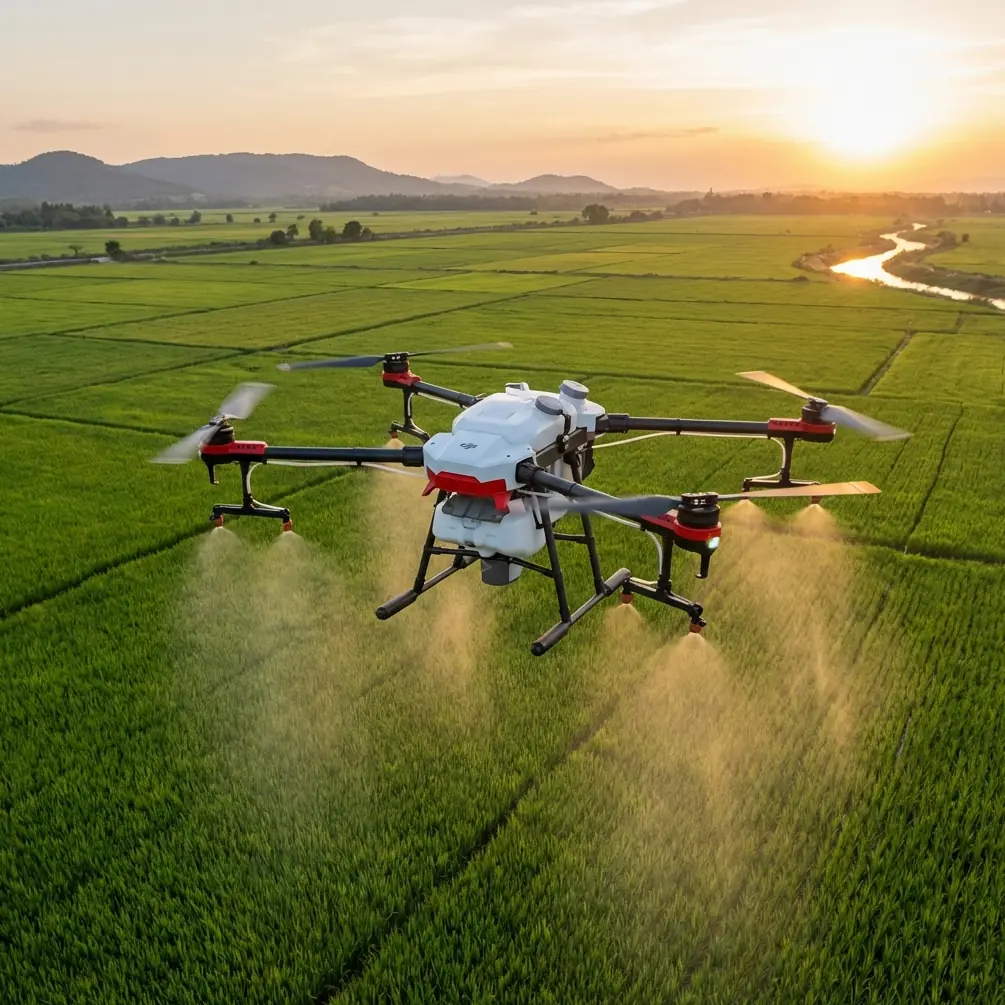
Flip for Vineyards: Mastering Windy Aerial Shots
META: Master vineyard aerial photography with the Flip drone in windy conditions. Expert tips for stunning footage, obstacle avoidance, and pro techniques.
TL;DR
- Wind resistance up to 10.7 m/s makes the Flip ideal for exposed vineyard terrain
- ActiveTrack 3.0 maintains smooth subject tracking between vine rows despite gusts
- D-Log color profile captures the full dynamic range of green foliage and soil tones
- Obstacle avoidance sensors prevent collisions with trellising systems and posts
Vineyard aerial photography presents unique challenges that ground most consumer drones. The Flip changes that equation entirely. After struggling for years with unstable footage and wind-related crashes across California wine country, I discovered this compact powerhouse handles gusts exceeding 24 mph while delivering cinema-quality results.
This guide walks you through every technique I've refined for capturing stunning vineyard content—from pre-flight wind assessment to post-processing D-Log footage.
Why Vineyards Demand Specialized Drone Techniques
Vineyard environments create a perfect storm of aerial photography challenges. Open hillsides funnel wind between rows. Trellising systems create unpredictable obstacle patterns. The contrast between bright sky and shadowed vine canopy exceeds most cameras' dynamic range.
Traditional approaches fail here. Larger drones struggle with the tight maneuvering required between rows. Cheaper models lack the stabilization needed for usable footage in anything beyond calm conditions.
The Flip's 249-gram weight class combined with its advanced stabilization algorithms creates an unexpected advantage. Its compact frame catches less wind while sophisticated software compensates for micro-movements that would ruin footage from heavier platforms.
Essential Pre-Flight Preparation for Windy Vineyard Shoots
Assessing Wind Conditions
Before launching, I check three critical factors:
- Ground-level wind speed using a handheld anemometer
- Wind direction relative to vine row orientation
- Gust frequency and intensity patterns
The Flip performs optimally in sustained winds up to 10.7 m/s (24 mph). However, gusty conditions below this threshold often prove more challenging than steady winds slightly above it.
Expert Insight: Wind typically increases 15-20% at drone operating altitude compared to ground level. If your anemometer reads 18 mph at chest height, expect 21-22 mph at 50 feet—still within the Flip's operational envelope, but demanding more battery power for stabilization.
Optimal Launch Positioning
Select your launch point strategically:
- Choose locations downwind from your primary shooting area
- Avoid launching from between vine rows where turbulence concentrates
- Position yourself where you maintain clear line-of-sight across the vineyard block
I've found that launching from access roads or headlands provides the most stable takeoff conditions and simplifies return-to-home scenarios.
Mastering Obstacle Avoidance in Vineyard Environments
The Flip's obstacle avoidance system uses omnidirectional sensors to detect trellising posts, end-row assemblies, and overhead wires. However, vineyard-specific obstacles require adjusted settings.
Configuring Sensor Sensitivity
For vineyard work, I modify the default obstacle avoidance parameters:
| Setting | Default Value | Vineyard Optimization |
|---|---|---|
| Forward Sensing Range | 12m | 8m |
| Braking Distance | 6m | 4m |
| Lateral Sensing | Auto | Enhanced |
| Vertical Clearance | 3m | 5m |
Reducing forward sensing range might seem counterintuitive, but it prevents false positives from distant vine canopy movement. The tighter braking distance allows closer approaches to subjects without triggering automatic stops.
Navigating Between Rows
Flying between vine rows demands precision. The Flip's 3-axis gimbal stabilization maintains level footage even when the aircraft banks to correct for crosswinds.
Key techniques for inter-row flight:
- Maintain minimum 2-meter clearance from canopy edges
- Fly with wind direction, not against it, when possible
- Use Sport mode only in open areas—switch to Normal for row navigation
- Keep altitude consistent to avoid wire strikes at row ends
Subject Tracking for Vineyard Operations
ActiveTrack transforms vineyard documentation. Whether following a harvest crew, tracking a tractor through rows, or creating dynamic reveals of the landscape, this feature handles the complexity automatically.
ActiveTrack Configuration for Agricultural Subjects
The Flip's ActiveTrack 3.0 offers three modes particularly useful for vineyard work:
- Trace: Follows behind or in front of moving subjects
- Parallel: Maintains lateral position relative to subject movement
- Spotlight: Keeps camera locked on subject while you control flight path
For harvest documentation, Parallel mode captures workers moving through rows while maintaining consistent framing. Trace mode works better for equipment following shots.
Pro Tip: When tracking tractors or ATVs, set your tracking box to include the vehicle plus 20% additional space in the direction of travel. This prevents the subject from leaving frame during sudden direction changes at row ends.
Capturing Cinematic Footage with QuickShots and Hyperlapse
QuickShots for Vineyard Reveals
The Flip includes six QuickShots modes that automate complex camera movements:
- Dronie: Classic pullback reveal—perfect for establishing shots
- Helix: Ascending spiral around a focal point
- Rocket: Straight vertical ascent with downward camera
- Circle: Orbital movement around subject
- Boomerang: Oval flight path with subject at center
- Asteroid: Creates spherical panorama effect
For vineyard content, Helix and Circle modes showcase row patterns most effectively. Set your focal point at a distinctive feature—an old oak tree, equipment shed, or hilltop—and let the automation handle the rest.
Creating Hyperlapse Sequences
Hyperlapse condenses time while adding camera movement. Vineyard applications include:
- Sunrise progressions across fog-filled valleys
- Shadow movement throughout golden hour
- Cloud patterns over hillside blocks
- Harvest activity compressed into seconds
The Flip captures Hyperlapse at 1080p with intervals from 2 to 60 seconds between frames. For most vineyard sequences, I use 5-second intervals over 20-30 minute recording sessions.
Optimizing D-Log for Vineyard Color Science
Why D-Log Matters for Agricultural Footage
Standard color profiles crush the subtle green variations that distinguish healthy vines from stressed blocks. D-Log preserves this information for post-processing.
The Flip's D-Log M profile captures approximately 10 stops of dynamic range—enough to retain detail in both bright sky and shadowed understory simultaneously.
D-Log Settings for Vineyard Conditions
Configure your camera settings as follows:
| Parameter | Recommended Setting |
|---|---|
| Color Profile | D-Log M |
| ISO | 100-400 (lowest possible) |
| Shutter Speed | 1/60 for 30fps, 1/120 for 60fps |
| White Balance | Manual (5600K sunny, 6500K overcast) |
| ND Filter | ND16 bright sun, ND8 overcast |
Manual white balance prevents color shifts when flying between sun and shade. ND filters maintain proper shutter speed for natural motion blur.
Common Mistakes to Avoid
Ignoring thermal updrafts: Vineyards on south-facing slopes generate significant thermal activity during afternoon hours. These invisible columns of rising air can push the Flip unexpectedly, causing jerky footage and increased battery consumption.
Overlooking wire hazards: End-post assemblies often include tensioning wires that extend above canopy height. These thin cables are nearly invisible to both pilot and sensors until dangerously close.
Shooting at midday: Harsh overhead light flattens vineyard topography and creates unflattering shadows. Schedule shoots for the two hours after sunrise or two hours before sunset for dimensional lighting.
Neglecting battery temperature: Cold morning shoots in wine country can reduce battery performance by 20-30%. Keep batteries warm in your vehicle until immediately before flight.
Flying too high: Vineyard patterns look most impressive from 50-150 feet AGL. Higher altitudes lose the intimate row detail that makes vineyard footage compelling.
Frequently Asked Questions
Can the Flip handle morning fog common in wine regions?
The Flip operates safely in light fog and mist, but moisture accumulation on sensors can trigger false obstacle warnings. Limit flights to visibility above 1 mile and wipe sensors between flights. The camera lens may also collect condensation—carry a microfiber cloth for quick cleaning.
How many vineyard acres can I cover on a single battery?
Under moderate wind conditions, expect 25-30 minutes of flight time per battery. This typically covers 40-60 acres of documentation footage or 15-20 acres of detailed inspection work. Carry at least three batteries for comprehensive property coverage.
What's the best approach for capturing harvest action?
Position yourself at row ends where you can track equipment moving toward or away from your position. Use ActiveTrack in Trace mode for following shots, switching to manual control for tight turns at row ends. Communicate with equipment operators about your flight path—the Flip is quiet, but not silent, and sudden appearances can startle workers.
Mastering vineyard aerial photography with the Flip requires understanding both the drone's capabilities and the unique challenges of agricultural environments. The techniques outlined here represent hundreds of hours of trial, error, and refinement across diverse wine regions.
Wind no longer grounds my shoots. Obstacle-rich environments no longer intimidate. The Flip has transformed vineyard documentation from a weather-dependent gamble into a reliable, repeatable process.
Ready for your own Flip? Contact our team for expert consultation.