
Flip Best Practices for Filming Highways in Complex Terrain
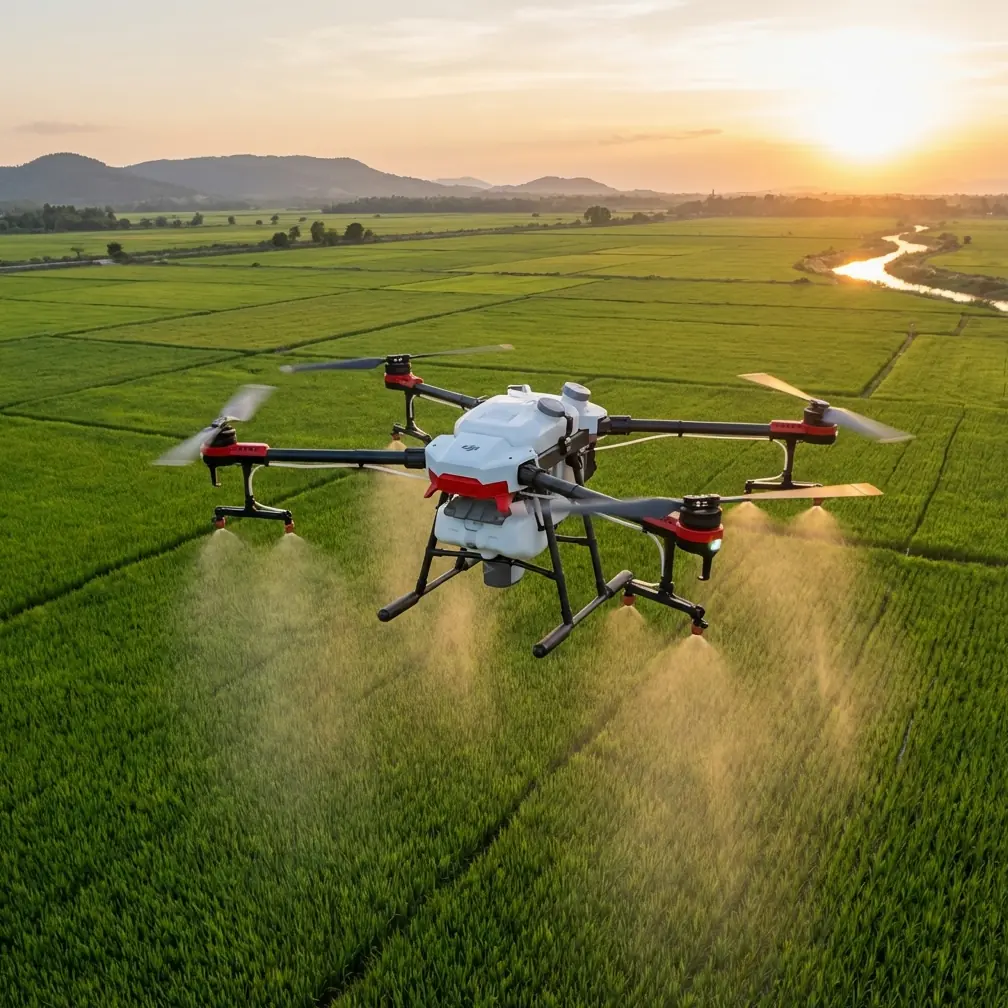
Flip Best Practices for Filming Highways in Complex Terrain
META: A practical how-to for using Flip to film highways across hills, cuttings, and winding grades, with setup discipline inspired by APM calibration fundamentals.
Highway filming looks simple until terrain starts interfering with the shot.
A straight section on flat ground is one thing. A mountain pass is another. Elevation changes distort speed, ridgelines break signal confidence, and every bend in the road forces the aircraft to make decisions about framing, distance, and obstacle margin. If you’re flying Flip to capture highways through complex terrain, the difference between footage that feels controlled and footage that feels nervous usually starts before takeoff.
That’s where older flight-controller discipline still teaches a useful lesson.
Pages 12–16 of the Chinese APM 2.8.0 beginner manual focus on two setup steps: radio calibration and accelerometer calibration. On the surface, those instructions belong to another era of UAV setup. In practice, the operational logic still matters for anyone trying to capture reliable moving-road footage with a modern platform like Flip. The manual is very specific: connect the receiver, power the transmitter, connect APM by USB or telemetry, enter Install Setup → Mandatory Hardware → Radio Calibration, and verify every channel reaches its upper and lower limits. It also stresses a safety detail that remains timeless—during calibration, the system should only be connected to USB and the receiver, with motors not powered.
That one detail matters more than it seems. Highway filming in complex terrain rewards pilots who remove ambiguity from the system. If the aircraft’s control interpretation is even slightly off, or if the inertial reference starts from a bad baseline, you don’t just get “less accurate flight.” You get tiny corrections showing up in the footage as wandering headings, inconsistent altitude hold near rising ground, and awkward re-centering when tracking a subject vehicle along a curving route.
Why calibration discipline still matters for Flip users
Flip may offer a far more polished user experience than a legacy APM workflow, but the physics have not changed. A drone filming over roads cut into hillsides still relies on two foundational truths:
- It must correctly interpret pilot or automation inputs.
- It must correctly understand what “level” means.
The APM manual’s radio calibration procedure is really about endpoint certainty. When you move each stick or switch, the software expects to see the full operating range. For a modern creator flying Flip, that same principle translates into confidence in mode switching, gimbal behavior, braking response, and subject-tracking intervention. If you’re using ActiveTrack or QuickShots while a vehicle moves through terrain that changes shape every few seconds, partial or inconsistent control behavior can turn a clean sequence into a rescue maneuver.
The accelerometer section is even more relevant to filming. The manual recommends fixing the controller board to a box with six flat sides and sharp, square edges, then using a level table or floor as a reference for each orientation. That is not just workshop fussiness. It is a practical method to ensure the system’s internal idea of horizontal and vertical is anchored to reality. When filming highways, especially with side-reveal passes or descending lead shots, a small tilt error becomes visually obvious. Guardrails lean. Horizons drift. Road geometry looks subtly wrong.
For a photographer’s eye, these are not technical footnotes. They are the difference between footage that feels premium and footage that quietly undermines itself.
The best flight altitude for highway filming in complex terrain
Let’s address the question most pilots actually ask: how high should Flip fly?
For this scenario, my preferred working range is 45 to 70 meters above the immediate roadway environment, adjusted according to terrain relief, roadside obstacles, and the shot type.
That range is high enough to smooth out minor pitch and yaw corrections, but low enough to preserve the visual relationship between the vehicle, lane geometry, and the landscape that makes the road feel dramatic. Go too low and every power pole, road sign, embankment, and tree cluster starts dictating your route. Go too high and the highway loses presence; it becomes a line on a map rather than a subject.
Here’s how I break it down in the field:
- 45–55 meters: best for lead-follow shots on winding roads where the vehicle needs strong visual weight in frame.
- 55–70 meters: better for establishing passes over cuttings, switchbacks, and sections where terrain rises sharply beside the pavement.
- Above 70 meters: useful only when the terrain itself is the story and the highway is intended as a compositional element rather than the main subject.
In complex terrain, altitude should be tied to the nearest terrain conflict, not just legal ceiling or convenience. That means you don’t choose one height for the whole mission and stick to it blindly. You choose a baseline, then adapt shot by shot.
Shot planning: terrain first, vehicle second
A lot of creators plan highway work around the moving car. That’s backward in mountainous or uneven areas.
The terrain sets the rules. The vehicle simply moves through them.
Start with three questions:
1. Where does the terrain pinch the flight path?
Look for road cuttings, cliff-side shoulders, overpasses, utility crossings, and tree corridors. These are the places where obstacle avoidance earns its keep—but they are also places where you should not rely on automation alone. Obstacle systems are there to assist, not to invent a cinematic path through bad planning.
2. Where will subject tracking become visually unstable?
ActiveTrack is most convincing when the subject remains readable against the background. On highways running through layered terrain, vehicles often pass from bright open tarmac into shadowed bends, then under broken ridge light. If the scene is too crowded or contrast shifts too quickly, tracking can become hesitant. Build your plan around sections where the road geometry helps the aircraft maintain a clean relationship with the subject.
3. Where does horizon management become critical?
This is where the APM accelerometer lesson comes back into focus. If the drone’s level reference is imperfect, side-tracking shots on mountain roads make it obvious fast. Before a serious filming session, check that Flip is behaving cleanly in hover and that the gimbal is holding true. On a road with long diagonal lines, even a subtle bias is visible.
A practical pre-flight routine inspired by the APM manual
The APM manual’s workflow is old-school, but the mindset is right. Before filming a highway through complicated terrain, I use a simplified modern version of that discipline.
Confirm control integrity
The manual describes moving each channel so the software sees the full range, then saving only after each bar reaches both extremes. The modern takeaway is simple: verify that every control input responds exactly as expected before the mission starts. Don’t assume because the aircraft powered on, the setup is perfect.
Why it matters operationally: when a vehicle enters a bend near a rising slope, you may need immediate manual correction. That response should feel predictable, not approximate.
Check level behavior on a truly level surface
The manual’s recommendation to use a flat six-sided box and a level table is not trivial. It is a reminder that aircraft orientation starts from physical reference, not guesswork. With Flip, place the drone on a genuinely level surface before startup and let the system initialize without disturbance.
Why it matters operationally: road footage exaggerates tilt errors. Parallel lane markings and retaining walls expose misalignment that might go unnoticed in a generic landscape shot.
Keep the aircraft configuration simple during setup
The manual explicitly warns that during radio calibration the motor should not be powered, and that only the USB and receiver should be connected. The broader lesson is to eliminate variables while checking fundamentals.
Why it matters operationally: when preparing for a terrain-heavy shoot, complexity is the enemy. A rushed setup with too many moving parts invites preventable errors.
Best modes and features for Flip on highway shoots
The context around Flip suggests several creative tools worth using, but only if they serve the terrain rather than distract from it.
ActiveTrack for controlled follow sequences
Use ActiveTrack on sections where the road has enough separation from roadside clutter. It works best when the subject can remain distinct against the environment. On a multi-lane segment carved into hills, begin tracking only after the vehicle exits the busiest visual zone.
Operational tip: don’t start tracking at the hardest part of the route. Acquire the subject in a simpler section, then continue into the more interesting terrain.
QuickShots for short, repeatable reveals
QuickShots can be effective for entry sequences—especially when introducing a highway interchange, viaduct, or exposed ridge road. Keep them short. In complex terrain, long automated arcs can drift from “cinematic” into “indecisive” if the surrounding topography gets too close.
Operational tip: use QuickShots as punctuation, not as the main structure of the piece.
Hyperlapse for traffic rhythm and terrain scale
Hyperlapse works well when you want to show how the highway threads through a landscape over time. This is especially strong at dawn or late afternoon, when shadows describe the terrain clearly. But choose a viewpoint with stable clearance. Complex terrain plus long-duration flight paths is not where you want casual improvisation.
D-Log when the scene has sharp contrast
Highways through mountains often produce extreme tonal splits—bright sky, dark cut slopes, reflective vehicles, pale concrete, deep vegetation. D-Log gives you better room to shape those elements in post.
Operational tip: if your road enters and exits shadow repeatedly, expose to preserve the highlights on road surface and sky first. Recovery in the darker terrain areas is usually easier than rebuilding clipped bright zones.
How to keep obstacle avoidance useful without letting it ruin the shot
Obstacle avoidance helps, but creators often misunderstand its role.
On a highway shoot, obstacle sensing should be treated like a quiet co-pilot. You still choose the route. You still maintain margin. You still expect terrain to compress your options. If you place Flip in a narrow corridor and expect the system to magically preserve composition while solving every branch, signpost, slope edge, and embankment, the footage will show the hesitation.
The smoother approach is to build shots that respect the aircraft’s comfort zone.
For example:
- Keep lateral tracking paths farther from uphill rock faces than feels strictly necessary.
- Avoid flying parallel to roadside trees when the vehicle can be framed from the opposite side with cleaner airspace.
- Let the road curvature create the motion instead of forcing the drone into aggressive sideways corrections.
Complex terrain rewards restraint. The best shots often come from a flight line that looked almost too simple on the map.
A sample filming sequence for a mountain highway
If I were building a short sequence with Flip, I’d structure it like this:
High establishing shot at 65–70 meters
Show the road’s relationship to the terrain. Keep movement minimal and let the landscape explain the route.Lead-follow pass at 50–55 meters
Track the vehicle from ahead and slightly above, allowing the lane lines to pull the eye forward.Offset side track at 45–50 meters
Use this only on a section with predictable roadside clearance and clean separation from trees or poles.Climbing reveal over a bend
Start lower, then rise carefully as the road opens into a vista. This is where horizon accuracy matters most.Hyperlapse or static elevated hold
End by showing traffic flow through the topography rather than just another moving-car shot.
That balance gives you geography, motion, and scale without asking the aircraft to do something reckless for the sake of style.
When to slow down and troubleshoot
If the aircraft feels slightly off, stop. Don’t film around the problem.
The APM manual includes a very direct troubleshooting clue: if the indicator bars do not move when you operate the sticks, check the receiver connection and confirm the channel mapping. The modern equivalent is just as practical—if Flip behaves inconsistently, don’t rationalize it as temporary. Review the basics. Recheck control response. Confirm startup conditions. Verify that the aircraft was initialized on a proper surface.
That sounds basic because it is basic. And basic errors are exactly what turn difficult terrain into expensive frustration.
If you want a second opinion on setup logic for this kind of road-filming workflow, I’d point you to this direct WhatsApp contact for practical flight planning questions.
Final thought: old calibration habits, modern filming results
What stands out in the APM 2.8.0 manual is not nostalgia. It is discipline. The document insists on proper connection order, explicit calibration steps, full input range verification, and a physically level reference during accelerometer setup. Those are not obsolete rituals. They are reminders that stable flight begins long before the drone leaves the ground.
For Flip operators filming highways in complex terrain, that mindset pays off immediately. A level aircraft preserves the road’s geometry. Clean control interpretation reduces mid-shot corrections. Sensible altitude—often in that 45 to 70 meter working band—keeps the highway prominent while giving the drone enough space to behave gracefully around terrain.
Good highway footage feels inevitable, as if the drone simply belonged there.
It never is. It’s built on preparation.
Ready for your own Flip? Contact our team for expert consultation.