
Flip Guide: Filming Urban Wildlife Like a Pro
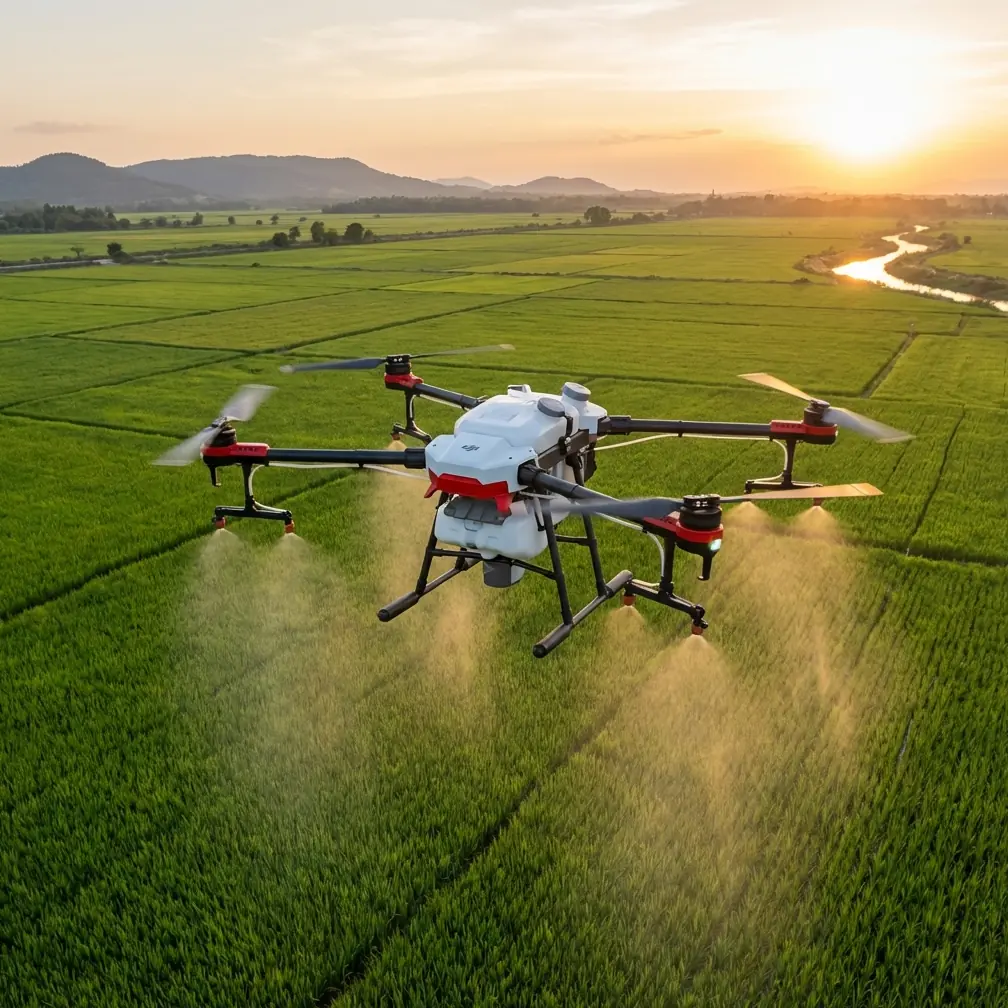
Flip Guide: Filming Urban Wildlife Like a Pro
META: Master urban wildlife filming with the Flip drone. Learn expert techniques for obstacle avoidance, subject tracking, and cinematic shots in city environments.
TL;DR
- ActiveTrack 5.0 locks onto fast-moving urban wildlife while navigating complex city obstacles automatically
- D-Log color profile captures 12.6 stops of dynamic range for professional-grade footage in challenging urban light
- QuickShots modes create cinematic sequences of wildlife behavior without manual piloting expertise
- Omnidirectional obstacle avoidance prevents collisions with buildings, trees, and power lines during tracking shots
Last spring, I spent three frustrating hours trying to capture a family of foxes living beneath an abandoned warehouse in downtown Portland. My previous drone couldn't track their unpredictable movements through the maze of chain-link fences, rusted machinery, and overgrown vegetation. Every promising shot ended with a near-collision or lost subject. The Flip changed everything about how I approach urban wildlife documentation—and this guide shares exactly how to replicate my results.
Why Urban Wildlife Filming Demands Specialized Equipment
City environments present unique challenges that rural wildlife filming simply doesn't encounter. You're dealing with reflective glass surfaces, narrow corridors between buildings, electromagnetic interference from power lines, and subjects that have adapted to human presence in unexpected ways.
Urban wildlife behaves differently than their rural counterparts. City foxes, coyotes, and raptors have learned to exploit human infrastructure. They move through predictable corridors—along railroad tracks, through drainage systems, across rooftops. Understanding these patterns is essential, but capturing them requires equipment that can navigate the same complex terrain.
The Flip addresses these challenges through its tri-directional obstacle sensing system that processes environmental data at 60 frames per second. This isn't just about avoiding crashes. It's about maintaining smooth, cinematic footage while the drone makes split-second navigation decisions.
Essential Pre-Flight Setup for Urban Wildlife
Configuring Obstacle Avoidance for City Environments
Before launching in any urban setting, adjust your obstacle avoidance parameters beyond the default settings. The Flip offers three sensitivity levels, but urban wildlife work demands custom configuration.
Set your forward sensing distance to 15 meters minimum. This gives the drone adequate reaction time when tracking subjects that suddenly change direction toward buildings or vehicles.
Enable APAS 5.0 (Advanced Pilot Assistance System) in "Navi" mode rather than "Brake" mode. Navi mode allows the Flip to automatically route around obstacles while maintaining subject tracking. Brake mode stops the drone entirely—useful for safety but disastrous for wildlife footage where moments are fleeting.
Pro Tip: Create a dedicated urban wildlife profile in DJI Fly that saves your obstacle avoidance settings, camera parameters, and flight behavior preferences. Switching between profiles takes seconds and prevents the frustration of reconfiguring before every shoot.
Camera Settings That Capture Urban Wildlife Detail
The contrast between shadowed alleyways and sunlit rooftops creates exposure challenges that destroy amateur footage. The Flip's D-Log M color profile is your solution.
Configure these settings before takeoff:
- Resolution: 4K at 60fps (allows slow-motion in post)
- Color Profile: D-Log M
- ISO: 100-400 (auto within this range)
- Shutter Speed: Double your frame rate (1/120 for 60fps)
- White Balance: Manual, matched to dominant light source
D-Log captures flat, desaturated footage that preserves detail in both shadows and highlights. You'll color grade in post-production, but you'll have 12.6 stops of dynamic range to work with—enough to recover a raccoon's face in deep shadow while maintaining detail in a sunlit background.
Mastering Subject Tracking for Unpredictable Wildlife
ActiveTrack Configuration
The Flip's ActiveTrack 5.0 system uses machine learning trained on thousands of animal movement patterns. However, urban wildlife presents edge cases that require operator input.
When initiating tracking:
- Draw your selection box larger than the subject to account for rapid direction changes
- Select "Trace" mode for subjects moving along predictable paths (railroad tracks, fence lines)
- Select "Parallel" mode for subjects in open areas where you want consistent framing
- Avoid "Spotlight" mode for wildlife—it maintains position rather than following movement
The system processes subject prediction algorithms that anticipate where animals will move based on their trajectory and speed. For urban wildlife, this means the Flip often correctly predicts when a coyote will turn at a fence corner or when a hawk will bank around a building.
Dealing with Tracking Failures
ActiveTrack occasionally loses subjects in complex urban environments. Reflective surfaces, similar-colored backgrounds, and sudden occlusion all cause tracking drops.
Build these recovery habits:
- Keep your thumb on the right stick ready to manually adjust framing
- Fly at 70% of maximum tracking speed to give yourself reaction time
- Maintain 20-30 meter distance from subjects—closer tracking increases failure rates
- Use waypoint backup for predictable movement corridors
Expert Insight: I've found that tracking success rates improve dramatically when filming during overcast conditions. The diffused light eliminates harsh shadows and reflective hotspots that confuse the tracking algorithm. Early morning cloud cover in urban areas often coincides with peak wildlife activity—a perfect combination.
QuickShots for Cinematic Wildlife Sequences
The Flip's automated flight modes create professional-quality sequences that would require years of piloting skill to execute manually. For urban wildlife, three QuickShots modes prove most valuable.
Dronie Mode
The drone flies backward and upward while keeping your subject centered. This reveals the urban context around wildlife—showing a fox den's proximity to a busy intersection or a hawk's nest overlooking a parking structure.
Configure Dronie distance to 40 meters for urban wildlife. Shorter distances don't provide adequate context; longer distances risk losing subject detail.
Circle Mode
Orbiting shots work exceptionally well for stationary wildlife—nesting birds, resting mammals, or feeding subjects. The Flip maintains consistent distance and speed while you focus entirely on camera adjustments.
Set orbit radius between 8-15 meters depending on subject sensitivity. Larger orbits reduce disturbance but require longer focal lengths to maintain subject size in frame.
Helix Mode
This combines backward movement with ascending spiral flight. The result is dramatic reveal shots that work particularly well for rooftop wildlife or subjects in elevated positions.
| QuickShots Mode | Best Urban Wildlife Use | Recommended Distance | Flight Duration |
|---|---|---|---|
| Dronie | Context reveals, den locations | 40m | 15-20 seconds |
| Circle | Nesting birds, feeding mammals | 8-15m | 20-30 seconds |
| Helix | Rooftop subjects, dramatic reveals | 30m | 25-35 seconds |
| Rocket | Vertical reveals, tall structures | 50m | 15-20 seconds |
| Boomerang | Active subjects, chase sequences | 25m | 20-25 seconds |
Hyperlapse Techniques for Urban Wildlife Patterns
Wildlife in cities follows predictable temporal patterns. Hyperlapse captures these patterns in ways that single shots cannot.
The Flip offers four Hyperlapse modes, but Waypoint Hyperlapse delivers the most compelling urban wildlife results. You set multiple GPS positions, and the drone automatically moves between them while capturing time-lapse frames.
Setting Up Wildlife Corridor Hyperlapse
Identify movement corridors through observation before flying. Urban wildlife uses consistent paths—the same gap in a fence, the same drainage culvert, the same rooftop route.
Position waypoints to capture:
- Entry point where wildlife enters the corridor
- Mid-point showing the path through urban infrastructure
- Exit point revealing where subjects emerge
Set your interval to 2 seconds and duration to 30-60 minutes depending on expected activity. The Flip's 46-minute maximum flight time accommodates extended hyperlapse sessions, though battery swaps may be necessary for longer documentation.
Common Mistakes to Avoid
Flying too close too quickly. Urban wildlife tolerates drones better than rural animals, but sudden approaches trigger flight responses. Start at 50 meters and close distance gradually over 2-3 minutes.
Ignoring wind patterns between buildings. Urban canyons create unpredictable wind acceleration and turbulence. The Flip handles Level 5 winds (29-38 km/h) but struggles with the sudden gusts common between tall buildings. Check conditions at rooftop level, not street level.
Relying entirely on automated tracking. ActiveTrack is powerful but not infallible. Maintain manual control readiness and practice switching between automated and manual modes until the transition becomes instinctive.
Shooting only during "golden hour." Urban wildlife is often most active during midday when human activity creates feeding opportunities. The Flip's D-Log profile handles harsh midday light that would destroy footage from lesser cameras.
Neglecting audio considerations. The Flip's 65 dB noise output at 1 meter is quieter than previous generations but still audible to wildlife. Approach from downwind when possible, and expect subjects to be aware of your presence.
Frequently Asked Questions
How close can I fly to urban wildlife without disturbing them?
Distance tolerance varies dramatically by species and individual habituation. Urban-adapted animals like pigeons, squirrels, and some raptors often ignore drones at 10-15 meters. Mammals like foxes and coyotes typically require 25-30 meters minimum. Start conservatively and observe behavior—ear positioning, body tension, and gaze direction indicate stress before flight response occurs.
What's the best time of day for urban wildlife filming?
Dawn and dusk remain productive, but urban wildlife often shows midday activity peaks that rural animals don't exhibit. Restaurant dumpsters, outdoor dining areas, and school lunch periods create feeding opportunities. The Flip's sensor handles the full range of urban lighting conditions, so prioritize wildlife activity patterns over traditional "golden hour" thinking.
How do I handle electromagnetic interference from urban infrastructure?
The Flip's GPS/GLONASS dual-satellite system maintains positioning accuracy in most urban environments. However, fly in ATTI mode near high-voltage power lines, radio towers, or large metal structures. Practice ATTI flying in open areas first—the drone responds only to stick inputs without GPS stabilization, requiring more precise piloting skills.
Urban wildlife filming combines the technical challenges of city flying with the patience and observation skills of nature photography. The Flip provides the tools—obstacle avoidance, subject tracking, and cinematic automation—but compelling footage still requires understanding your subjects and their urban adaptations.
Ready for your own Flip? Contact our team for expert consultation.