
Flip Inspecting Tips for Coastlines: Using Light, Tracking
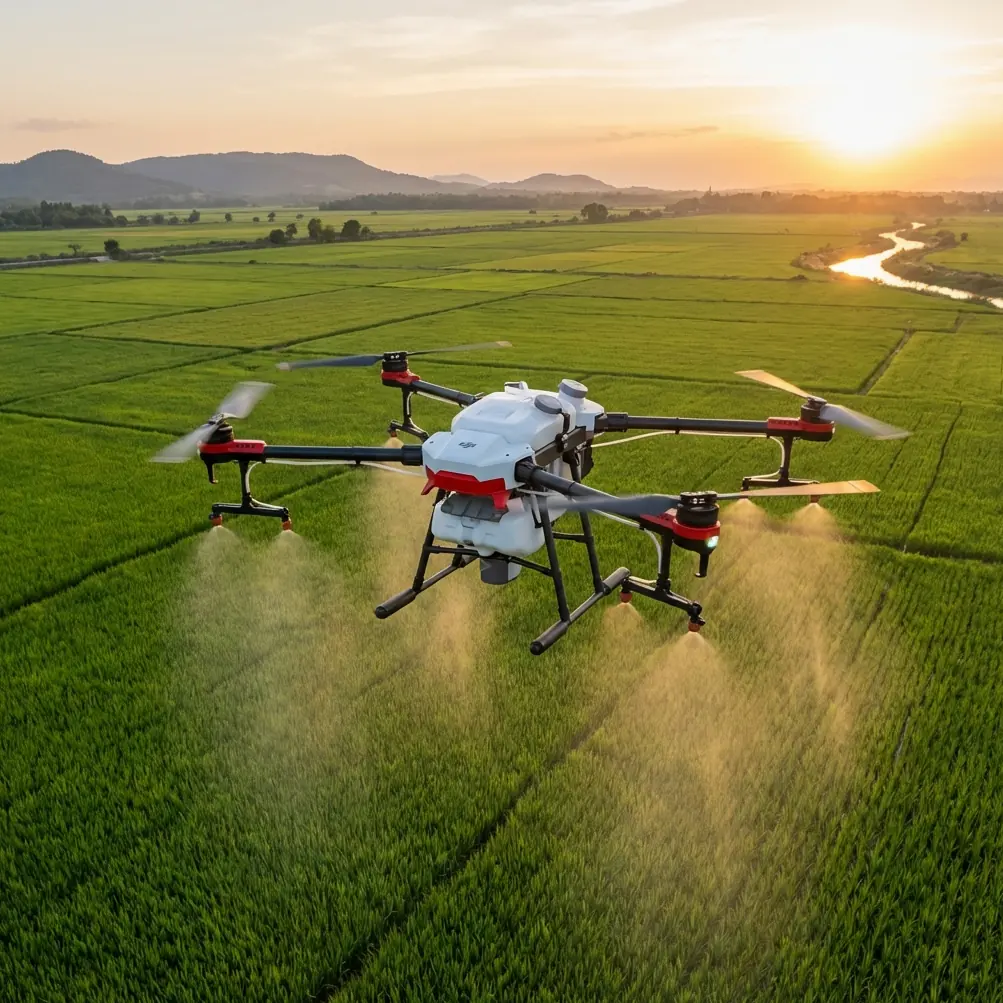
Flip Inspecting Tips for Coastlines: Using Light, Tracking, and Background Control to Make Small Details Read Clearly
META: A technical review of Flip for remote coastline inspection, with practical shooting methods for isolating fine details using directional light, subject tracking, obstacle avoidance, D-Log, and cleaner backgrounds.
Remote coastline inspection looks simple on paper. Fly out, record the shoreline, review the footage later. In practice, the hardest part is rarely distance alone. It is visual clutter.
Coastal environments are noisy scenes. Rock texture, scrub, drift debris, wet sand reflections, foam lines, moving shadows, and wind-blown vegetation all compete for attention. If your goal is to document a crack in a seawall, stress on a signpost, erosion around dune roots, or the condition of a small marker tucked against darker terrain, the inspection challenge becomes less about “seeing the coast” and more about isolating one thing from everything around it.
That is where Flip becomes interesting.
Most drone discussions around coastal work get trapped in broad specs. Flight time. Range. Resolution. Those matter, but they do not explain whether a pilot can make a tiny subject stand out in a messy, high-contrast environment. A better way to judge Flip is to ask a simpler question: can it help you turn an overlooked detail into a readable, high-contrast visual record?
A useful clue comes from an unexpected place: close-up flower photography. One recent photography piece focused on making small roadside flowers look dramatic, especially oxalis. The core advice was not about expensive gear. It was about control. Use side backlighting or a tight point light source. Let petal edges glow translucent. Keep the background in deep shadow. Reveal texture and yellow stamens while hiding the distracting environment. Then clean up the background further with large-aperture portrait blur or by darkening and desaturating it in post.
That same visual logic applies remarkably well to remote coastline inspection with Flip.
Why tiny-subject photography matters to shoreline work
At first glance, photographing a small flower and inspecting a coastline seem unrelated. They are not. Both are battles against visual overload.
The flower example matters because it demonstrates three operational principles that are directly useful in civilian drone inspection:
- Precise lighting reveals micro-detail
- Shadow can suppress environmental clutter
- Separation between subject and background is often more valuable than raw sharpness
For Flip pilots inspecting coastlines, this shifts the workflow. Instead of simply pointing the camera at the shoreline and capturing a broad establishing shot, you start thinking in layers. Where is the subject? What is the light direction? What can be pushed into darkness, blur, or lower saturation so the important element reads instantly?
That is where Flip can outperform less thoughtful workflows, even when competitors advertise similar image specs.
Side light is your best friend on the coast
The flower reference specifically recommends side backlighting or a focused point light source because it makes petal edges translucent and brings out surface texture. On the coast, substitute the petal for a corroded fitting, weathered timber edge, concrete spall, rope fray, or vegetation stress line. The principle stays the same.
When Flip is flown with the sun offset to the side or slightly behind the subject, texture becomes legible. Salt crust, fissures, layered rock, edge lifting on painted surfaces, and fine erosion channels all become easier to interpret because low-angle side light creates shallow micro-shadows. Front lighting often flattens these details. Overhead midday light can be even worse, especially when pale rock and water glare wash everything together.
This is one area where disciplined piloting matters more than brute camera specs. A coastline inspection pilot using Flip can make stronger records by repositioning for side illumination instead of rushing a straight-on pass. If the target is small, the difference is dramatic.
The flower article makes another point worth carrying over: light that lands precisely on the subject can reveal texture while the messy setting disappears into darkness. For shoreline work, that means waiting for pockets of uneven light near cliffs, vegetation breaks, or late-day angles that naturally carve the scene apart. You are not just documenting. You are editing the real world in-camera.
Background management is a serious inspection tool, not an aesthetic extra
One of the more practical details from the flower piece is its insistence on a clean background. It suggests two simple methods: use a phone’s large-aperture portrait mode to blur distant leaves and soil, or darken and desaturate the background in post to create stronger contrast with the subject.
For Flip inspection work, the exact mechanism may differ, but the thinking is excellent.
Coastlines rarely offer tidy compositions. Behind any target object there may be glittering surf, tangled scrub, dark basalt, pale sand, and moving foam. A pilot who ignores the background will bring home footage that is technically high resolution but operationally weak. Review teams then waste time searching for the defect or feature you intended to document.
Flip becomes more valuable when you use its framing tools and flight precision to create natural separation. That can mean:
- changing altitude so the subject sits against darker rock rather than reflective water
- shifting laterally so a marker or damaged edge is framed against shadowed terrain
- using a tighter composition while tracking a fixed point of interest
- grading footage in D-Log to selectively darken and desaturate nonessential areas during review prep
That last step mirrors the flower article closely. The source specifically notes that lowering background brightness and saturation increases contrast with the subject. For inspections, this is not “creative editing.” It is documentation hygiene. If your review audience can identify the issue in two seconds instead of twenty, your capture method did its job.
Flip’s tracking tools make subject isolation more repeatable
A good inspection platform needs more than image quality. It needs consistency. On remote coastlines, wind and uneven geography make manual framing harder than many pilots expect. This is where Flip’s subject tracking features, including ActiveTrack-style behavior, become genuinely useful.
Think about a narrow erosion scar running along a dune face, or a warning marker fixed near wave-worn rocks. The target is visually small, but the environment around it is visually loud. Tracking helps the aircraft hold attention on the object while the pilot refines angle, distance, and light direction. That can save a pass that would otherwise drift into a generic scenic shot.
Compared with drones that force more manual correction in windy edge environments, Flip’s combination of tracking support and obstacle awareness gives it an advantage in getting repeatable inspection visuals rather than one-off lucky frames. That matters when teams return to the same site weekly or monthly and need comparable viewpoints.
Obstacle avoidance deserves its own mention here. Coastline work often includes irregular vertical surfaces, outcroppings, posts, cables, scrub, and abrupt relief changes. A drone that helps reduce close-range navigation stress lets the pilot spend more attention on visual analysis: angle of light, shadow edge placement, and subject separation. In real operations, that is a bigger deal than spec-sheet readers often admit.
QuickShots and Hyperlapse are not just recreational modes
Flip’s QuickShots and Hyperlapse can sound consumer-oriented, but in shoreline inspection they can serve a practical role when used with discipline.
A controlled reveal move can establish context before tighter inspection passes. For example, a brief orbit or pull-away can show where a damaged feature sits relative to access paths, surf exposure, or nearby structures. That context is useful for asset records and follow-up planning.
Hyperlapse, meanwhile, has niche value for slow environmental shifts: tidal encroachment around an access point, repeated wave interaction with a vulnerable edge, or moving shadow patterns that change target readability during a site window. It should not replace standard evidence capture, but it can supplement it by showing how visibility and environmental stress change over time.
The key is restraint. These modes are helpful when they support interpretation, not when they make the footage flashy.
D-Log is where Flip starts to separate itself for serious review
If you are inspecting remote coastlines in mixed lighting, D-Log can be one of Flip’s most useful tools. Coastal scenes are full of extremes: white foam, dark crevices, reflective wet surfaces, and muted vegetation. Standard profiles may clip highlights or crush shadow detail too aggressively, leaving you with records that look fine on first glance but fail during closer review.
D-Log preserves more flexibility. That means you can hold bright reflective zones while still recovering subtle structure in darker surfaces. More importantly, it supports the same background-control logic seen in the flower photography reference. During post, you can selectively restrain the less important parts of the scene by reducing luminance or saturation outside the area of interest, helping the target stand out without inventing information.
That workflow is especially helpful when the subject itself is small. The source article praised lighting that made petal texture and yellow stamens visible. In inspection language, the equivalent is preserving enough tonal separation to read crack edges, rust bloom boundaries, vegetation stress color, or surface delamination lines.
A drone can record 4K and still fail at that task if the tonal structure collapses. Flip, used properly, does better because it gives you room to shape the image for interpretation.
A practical flight method for remote coastline inspection with Flip
Here is the method I would use, based on the visual principles above.
Start wide, but only for orientation. Capture a short context clip that shows the feature in its environment. Then stop treating the coast as scenery.
Reposition for side light. If the sun is harsh overhead, come back earlier or later if the site allows it. Look for angles where the target receives directional illumination and the background falls darker. In the flower reference, dappled light under trees was used to isolate the bloom. On the coast, your equivalent may be a cliff shadow, a notch in the terrain, or a brief sun angle that lights one face cleanly.
Then move closer and simplify. Let obstacle avoidance support you near irregular terrain, but do not rely on automation blindly. Use tracking to keep the subject stable while you test small changes in yaw and altitude. Often a shift of a meter or two is enough to replace a busy surf background with calmer rock or shadow.
Record in D-Log when lighting is difficult. During post, darken and desaturate the background if needed, echoing the source advice that contrast rises when the environment is visually subdued. This is a legitimate inspection tactic because it improves readability of the recorded condition.
If you are building a repeatable workflow for a team, it helps to standardize all of this into a shot sequence. Context pass, side-lit detail pass, top-down reference pass, and a short tracking clip for continuity. If you want to compare setups for your own sites, you can share your inspection scenario with the team through this direct Flip workflow chat.
Where Flip stands out against competing drones
Many competing drones can reach remote coastal zones and record attractive footage. Fewer make it easy to produce inspection-ready visuals from small, easily lost details.
That is the distinction.
Flip is strongest when you use it as a subject-isolation platform rather than a flying landscape camera. Its obstacle avoidance reduces close-environment friction. Its tracking tools help maintain framing on small features. QuickShots and Hyperlapse can add useful context when used carefully. D-Log gives you the latitude to preserve detail and suppress distractions later. Together, those features support a more forensic way of seeing.
And that lines up almost perfectly with the lesson from the roadside flower example. A humble subject can look dramatic when the light is precise, the background is controlled, and attention is forced onto texture and structure. On the coast, the goal is not drama for its own sake. It is clarity. But the method is surprisingly similar.
If your current shoreline footage feels broad, busy, and hard to review, the problem may not be the coastline or even the camera. It may be that you are not yet using light and background as inspection tools.
Flip rewards pilots who do.
Ready for your own Flip? Contact our team for expert consultation.