
DJI Flip Guide for Dusty Field Inspections: A Real
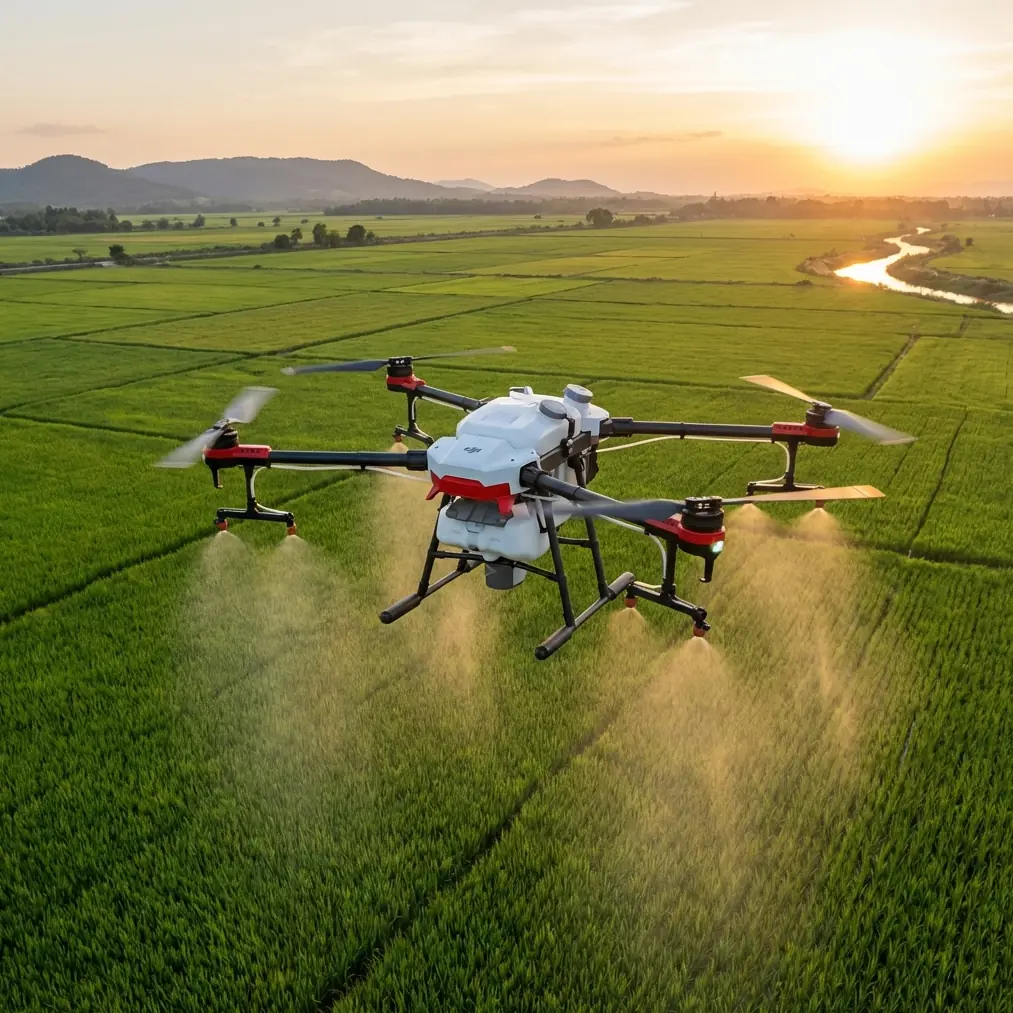
DJI Flip Guide for Dusty Field Inspections: A Real-World Case Study
META: A practical DJI Flip field inspection guide covering obstacle avoidance, ActiveTrack, D-Log, QuickShots, Hyperlapse, and battery management for dusty agricultural conditions.
I have spent enough time around farms, trailheads, and dry open ground to know that dusty field work exposes the difference between a drone that looks good on paper and one that actually helps you get the job done. The DJI Flip sits in an interesting place for this kind of work. It is compact enough to carry all day, fast enough to launch when the light changes, and automated enough to reduce workload when you are juggling inspection notes, vehicle access, and windblown debris.
This article is not a generic overview. It is a case-study style guide built around a very specific scenario: inspecting fields in dusty conditions with the Flip, while trying to collect footage that is useful for review later rather than just visually impressive in the moment.
As a photographer, I tend to care about image quality first. In the field, though, usefulness comes before aesthetics. That changes how I use flight tools like obstacle avoidance, subject tracking, QuickShots, Hyperlapse, D-Log, and ActiveTrack. A dusty field does not reward overconfidence. It rewards short setup time, clean decision-making, and disciplined battery handling.
Why the Flip fits this kind of work
The Flip makes sense for field inspection because it reduces friction. That matters more than many people admit. When you are walking fence lines, checking dry patches, documenting access roads, or recording the edges of planted areas, you do not want a complicated launch routine. You want something that can be unpacked, checked, and airborne before the wind direction shifts again.
Its obstacle avoidance features help most when you are not flying in a perfectly open field, which is more common than people think. Even agricultural land usually includes power poles, utility lines, tree edges, irrigation hardware, sheds, and vehicles parked where they should not be. Obstacle sensing is not a substitute for pilot judgment, but it adds a layer of protection when you are moving laterally to inspect boundaries or when you are backing away from a structure while reframing.
The second operational advantage is automated tracking. ActiveTrack and subject tracking are often discussed as creative tools, but in field inspection they can reduce pilot workload. If you are following a tractor route, a utility vehicle, or even a walking inspector moving along a drainage line, tracking can hold framing while you focus on altitude, spacing, and environmental hazards. In dusty settings, that matters because visibility near the ground can change quickly when a vehicle passes or a gust lifts loose soil.
A field day that changed how I manage batteries
One of the most useful habits I learned with compact drones came from a dry afternoon shoot near open farmland. The task was simple: capture overhead passes of a field edge, document a rough vehicle access path, and create a time-compressed view of dust movement across a section of exposed soil. The weather looked stable. The mistake was assuming that stable weather meant predictable power use.
Dusty environments often come with two battery penalties. First, pilots tend to fly more cautiously and make more micro-adjustments, which stretches flight time in unplanned ways. Second, wind near open fields is rarely consistent. A calm launch area can give way to stronger crosswinds over bare ground, especially above sun-heated surfaces.
That day, I burned more battery on repositioning than on the actual inspection passes.
Now my rule is simple: in dusty field work, I never treat the battery as a single uninterrupted resource. I divide each pack mentally into three sections. The first section is for ascent, system confirmation, and one establishing pass. The second is for the core inspection route. The final section is protected for return, a second landing decision, and a buffer in case dust near the original takeoff point makes me choose a cleaner alternate landing spot.
That buffer has saved me more than once.
The practical tip is this: do not launch from the dustiest point just because it is closest to the subject area. Launch from firmer ground, even if it adds a short walk. Then reserve extra battery for a wider return path. In field conditions, the best landing zone at takeoff is not always the best landing zone ten minutes later.
Dust changes your launch and landing strategy
Most people focus on in-air performance. In dusty inspections, takeoff and landing are where the trouble starts. Fine dust is not just messy. It reduces visibility, contaminates gear, and can make a rushed recovery feel far less controlled than the outbound flight.
With the Flip, I prefer hand launch or a clean surface whenever conditions allow and local safety practice supports it. If the ground is loose and powdery, rotor wash can create an instant cloud that obscures your view during the first seconds of ascent. Those first seconds matter because they are when you confirm stability, GPS lock, camera angle, and air movement.
Landing deserves the same discipline. If a vehicle has recently crossed the field or a breeze has shifted, I will often bring the drone back high, pause, assess the surface, and then either land in a cleaner nearby area or hand catch if conditions, training, and safety procedures make that the lower-risk option. The point is not style. It is contamination control and visual control.
This is where battery planning connects directly to operations. Without reserve power, you lose the freedom to reject a bad landing zone.
How I use obstacle avoidance in agricultural spaces
Obstacle avoidance in open land can seem like overkill until you fly the perimeter of a real field. One side may be clear; another may have trees, irrigation pivots, wires, or uneven terrain that rises more sharply than it appears from the ground.
The Flip’s obstacle avoidance is most useful for three inspection patterns:
Perimeter tracing
When I am documenting field borders or access routes, I often fly a steady lateral path. Obstacle sensing adds confidence when the route passes near trees or structures that sit just outside the camera’s main visual focus.Backing up for context
Sometimes the most useful inspection shot starts close on a washout, fence break, or dusty track and then pulls back to show how that issue sits within the larger landscape. Backward movement is where pilots can miss hazards. This is exactly where obstacle awareness earns its keep.Low-altitude review passes
Low flight can reveal surface texture, track depth, and erosion patterns more clearly than higher survey-style passes. It also narrows your margin for error. Any assistive sensing is welcome, provided you still fly with conservative spacing.
I should add a caution here. Dust, low sun, and fine branches can all complicate visual conditions. Obstacle avoidance is support, not permission to get casual.
ActiveTrack and subject tracking are not just creative tools
A lot of pilots think of ActiveTrack as something for cyclists, runners, or cinematic social clips. In field inspection, I use it for repeatability and efficiency.
For example, if a farm worker or inspector is walking a problem line, such as an eroded channel or damaged fence boundary, tracking can maintain a consistent frame while I monitor spacing and altitude. That consistency is operationally useful because it creates footage that is easier to compare between flights. Instead of random manual framing changes, you get a steadier visual reference of the person’s path against the field features around them.
The same applies when following a slow-moving vehicle on a service track. Dust trails can briefly obscure visual detail, and manually reframing through those conditions adds workload. Subject tracking helps stabilize the task.
Still, I use it selectively. In very dusty air, I avoid getting too low behind moving vehicles. Dust plumes can reduce contrast and make footage less informative. A slightly offset angle often works better than trailing directly behind.
If I need a second opinion on a route or setup in the field, I usually send a quick reference clip through WhatsApp for a fast flight check, especially when access roads and wind direction are changing faster than expected.
QuickShots are useful when used with intention
QuickShots are easy to dismiss as flashy presets, but they can be genuinely useful in inspection work if you treat them as repeatable motion templates rather than novelty shots.
A controlled pull-away can reveal how a local problem relates to the broader field layout. A compact orbit can show the spatial relationship between a damaged corner, nearby structures, and vehicle tracks. What matters is consistency. If you revisit the same area over time, using similar automated camera movements can make before-and-after comparisons much easier.
The mistake is using every automated move available just because it is there. In field documentation, one clean repeatable move is worth far more than a folder full of dramatic but inconsistent clips.
Why Hyperlapse matters in a dusty environment
Hyperlapse has a place here too, though not for every mission. In a dry field, conditions can change visibly over a short period. Dust movement, equipment activity, cloud shadows, and even traffic on access routes can alter the look and usefulness of a site.
A Hyperlapse sequence can show how dust drifts across a particular section of ground or how visibility changes around an entrance track during active movement periods. That kind of temporal context is often missing from still photos and short standard clips.
I use Hyperlapse when the question is not just “What does this area look like?” but “How does this area behave over time?” Those are different documentation goals, and the Flip’s automation helps answer the second one without requiring constant manual input.
Shooting in D-Log when the field is bright and harsh
Bright agricultural environments can be brutal on footage. Pale soil, reflective dust, bright sky, and dark tree lines often sit in the same frame. That is where D-Log becomes useful.
I do not use D-Log because it sounds professional. I use it because dusty field scenes often contain subtle tonal information that standard profiles can flatten or clip too aggressively. If you are documenting soil texture, path wear, or faint differences in vegetation stress, preserving more tonal flexibility can help during review.
The tradeoff is workflow. D-Log footage rewards post-processing. If you need instant shareable clips with minimal editing, a standard profile may be more practical. But for inspections where you want the option to pull back highlight detail or better distinguish muted ground tones later, D-Log is worth considering.
Operationally, this matters because field inspections are often reviewed after the fact, on a larger screen, by someone other than the pilot. Better source footage gives that second viewer more to work with.
My preferred workflow for dusty field inspections with the Flip
This is the sequence I use when conditions are dry and visibility near the ground is unstable:
- Walk the launch and landing area before powering up.
- Choose firmer ground over proximity.
- Check wind from more than one point, not just the vehicle.
- Start with a simple establishing pass before any automated mode.
- Use ActiveTrack only after confirming the subject path is predictable.
- Keep obstacle avoidance active, but maintain extra spacing.
- Save one battery segment for a landing-zone change.
- Wipe down exposed surfaces before packing the drone away.
None of that is glamorous. All of it makes the day easier.
The bigger takeaway
The Flip is most useful in dusty field work not because it does one spectacular thing, but because several practical features combine well under pressure. Obstacle avoidance supports safer perimeter flying. ActiveTrack and subject tracking reduce pilot workload during moving inspections. QuickShots create repeatable context shots. Hyperlapse captures environmental change over time. D-Log helps preserve detail in harsh bright scenes.
Taken separately, these sound like familiar spec-sheet items. In actual field use, they solve very specific problems.
That is what matters to me. A drone earns its place when its features hold up in awkward, messy, imperfect conditions. Dusty fields are exactly that kind of test. The Flip passes it best when you stop thinking like a hobby flyer chasing pretty clips and start thinking like an operator managing risk, energy, visibility, and usable evidence.
If you fly that way, even small decisions start paying off. Launch from cleaner ground. Leave more battery than you think you need. Track only when it improves consistency. Use automation to reduce workload, not to show off. And whenever the field starts looking simpler from the air than it felt on foot, assume you are missing something and slow down.
That instinct has saved more flights than any feature ever will.
Ready for your own Flip? Contact our team for expert consultation.