
How I Inspect Mountain Fields with Flip Using a VR
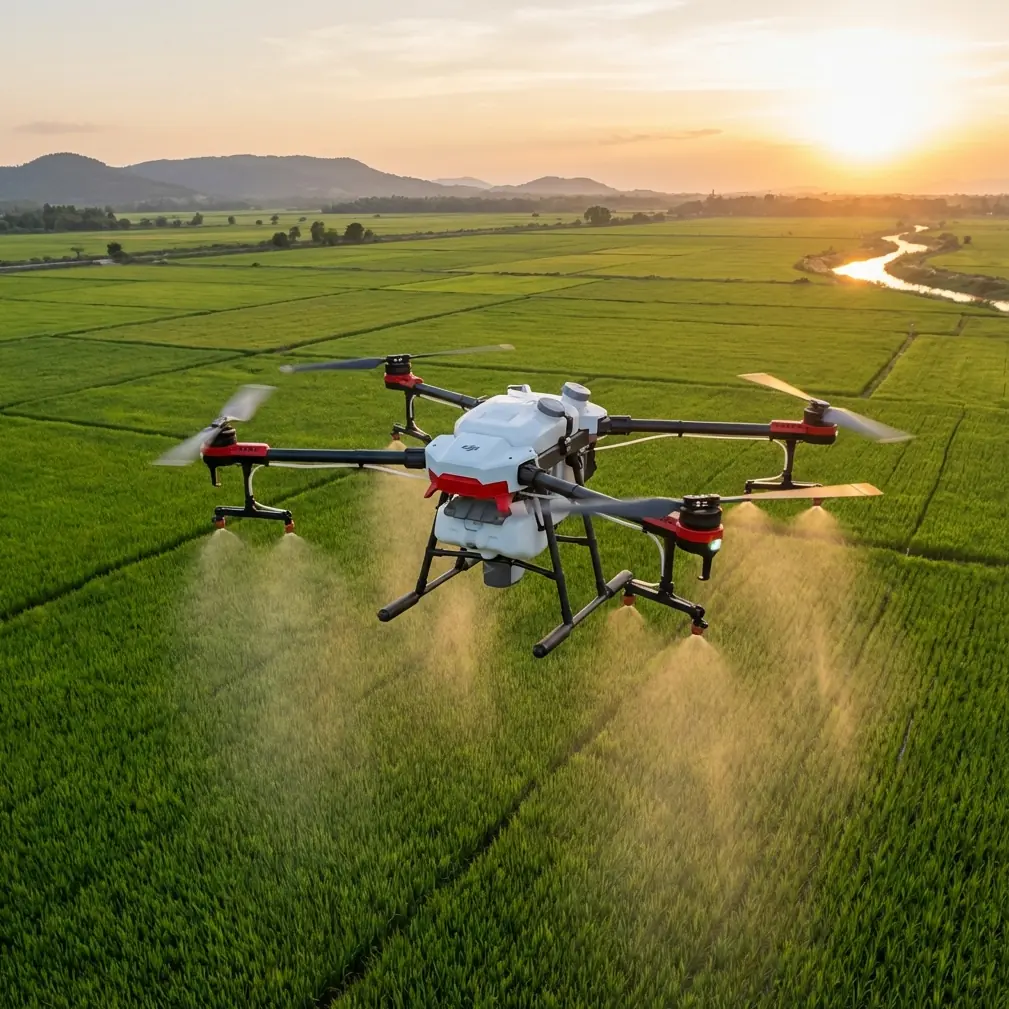
How I Inspect Mountain Fields with Flip Using a VR-First Workflow
META: A practical mountain field inspection workflow with Flip, focused on VR viewing, camera resolution, image stabilization, obstacle awareness, and terrain-smart flight habits.
Mountain agriculture reveals every weakness in a drone workflow.
Flat land forgives a lot. Mountain fields do not. Terraced rows break visual lines, wind shifts around ridges, and elevation changes turn a simple scouting pass into a test of camera clarity, pilot awareness, and flight planning discipline. When I inspect fields in this kind of terrain, I care less about flashy specs on paper and more about whether the aircraft can give me a stable, readable view when the landscape is doing everything it can to complicate the shot.
That is where a VR-oriented approach with Flip becomes useful.
The core idea behind a VR drone setup is straightforward: combine the drone’s live flight view with a VR device to create a more immersive perspective. That matters in mountain field inspection because immersion is not just about excitement. It can improve how well you read slopes, canopy gaps, irrigation lines, erosion scars, and access routes between terraces. When the scene fills your field of view, small problems often become easier to notice before they turn into costly ones.
Still, VR alone does not solve anything. Two factors from the underlying technology decide whether the experience is genuinely useful in the field: camera resolution and image stabilization. If either one is weak, the mountain wins.
Why VR changes the way field inspections feel
A standard screen view is fine for many missions. I still use it. But in steep agricultural zones, depth perception and visual focus become more demanding. You are often trying to understand relationships between levels: the top terrace, the drainage path below it, the tree line on the outer edge, the rocky cut near the access trail. A VR-linked live view helps turn those layers into something more intuitive.
That benefit becomes practical when you are not just filming scenery but making decisions.
For example, if I am checking crop uniformity across a hillside, I want to detect whether a patch that looks darker is simply under shadow or actually showing stress. If I am evaluating a service path, I want to know whether a bend is merely narrow or obstructed by growth. The immersive visual feed helps me interpret those conditions faster, especially when the route follows uneven terrain that is hard to judge on a small display.
But there is a catch. Immersion amplifies both strengths and flaws. A sharp, stable feed feels precise. A shaky, soft feed feels unusable.
The two details that matter most: resolution and stabilization
The reference material gets this exactly right. A VR drone lives or dies on the quality of the onboard camera, and high resolution helps capture cleaner aerial imagery. In mountain field inspection, that operational significance is obvious: better resolution means more usable visual information when you need to zoom in mentally on leaf texture, row continuity, washout patterns, or fence damage without physically pushing the drone too close to hazards.
The second detail is even more critical: image stabilization has a major effect on the final viewing experience. Advanced stabilization improves smoothness and clarity. In real mountain conditions, this is not a luxury feature. It is what makes a flight readable when gusts hit a slope face or when you transition from one terrace level to the next. Without stable footage, inspection turns into guesswork. With it, you can hold a line along the field edge, compare sections consistently, and review the flight afterward without fighting motion blur and jitter.
Those two reference points may sound simple, but they shape every operational choice I make with Flip.
My field workflow with Flip in mountain terrain
I approach mountain inspections in five stages. Not because it sounds neat, but because terrain punishes improvisation.
1. Start with the inspection question, not the flight path
Before launch, I define what I need to confirm.
Am I checking irrigation distribution? Looking for storm damage? Measuring how far vegetation has encroached on access lanes? Reviewing crop consistency across elevation bands? If I do not know the answer, I end up flying pretty lines instead of useful ones.
This is where Flip’s creative flight aids can still support technical work. QuickShots and Hyperlapse are often thought of as visual storytelling tools, but they also help establish landscape context. A short automated reveal of a hillside plot can show how terraces connect to roads, channels, and neighboring parcels. A controlled Hyperlapse over a recurring route can make seasonal change easier to compare over time.
I would not use those modes as the entire inspection. I use them to frame the bigger picture before switching to slower, deliberate passes.
2. Configure the camera for readability
When the source material emphasizes high-resolution capture, it points to something many pilots learn the hard way: if the live view and recorded footage do not retain detail, the inspection loses value almost immediately.
In mountain fields, that means I prioritize settings that preserve fine information over dramatic contrast. If Flip supports D-Log in your workflow, that can help maintain tonal range across bright sky, shaded terraces, reflective irrigation lines, and dark vegetation. The benefit is not only aesthetic. It gives you more flexibility when reviewing footage later to separate real crop variation from harsh lighting conditions.
I also avoid overcomplicating the setup. A clean, sharp feed beats an elaborate profile that slows decision-making in the field.
The key question is always the same: can I clearly distinguish what I came to inspect?
3. Build the route around stability, not speed
The source notes that advanced stabilization improves smoothness and clarity. In practice, that changes how I fly Flip around mountain fields.
I do not rush lateral passes near contour changes. I avoid abrupt yaw movements when crossing from sun into shadow. I let the aircraft settle before committing to a line along a terrace wall. Stable footage starts with stabilization technology, but it also depends on pilot behavior. If you fly aggressively in rotating mountain wind, no gimbal can completely rescue the result.
This is where obstacle avoidance becomes more than a safety feature on a spec sheet. Terraced farmland often includes poles, netting, tree overhangs, retaining edges, and wires that appear late as you move across elevation shifts. Obstacle awareness lets me focus more of my attention on image interpretation and less on raw survival. I still maintain line of sight and fly conservatively, but assistance systems lower the cognitive load.
That matters when you are already balancing terrain, light, and inspection targets.
4. Use subject-aware tools carefully
ActiveTrack and subject tracking can be surprisingly useful in civilian inspection, but not in the way people usually imagine. I am not tracking a person running through a vineyard. I am using tracking logic to maintain consistent framing on a moving utility cart, a tractor route, or a service corridor so I can assess terrain access and field logistics across changing slopes.
The reason this matters in mountains is consistency. If the framing drifts every few seconds, comparison becomes difficult. If Flip can hold a stable visual relationship to the subject while image stabilization keeps the scene smooth, I get footage that is easier to analyze later.
That said, I never hand over full judgment to automation in complex terrain. Tracking is an assistant, not a substitute for route awareness.
5. Review in the field before leaving
Mountain access is rarely convenient. Once I hike or drive into a site, I do not want to discover back at the office that I missed the lower retaining bank or failed to inspect the shaded side of a terrace.
A VR-capable workflow helps here because immersion makes review more intuitive. If the feed was crisp and stabilized, I can catch missing angles or uncertain sections while still on location. That alone can save hours.
Where a third-party accessory made a real difference
One of the most useful additions I have tried is a third-party sun hood for the viewing setup. It sounds minor. In mountain agriculture, it is not.
Light changes fast at elevation. A bright ridge line can wash out part of your display even when the field below sits in partial shadow. The sun hood improved contrast and reduced distraction enough that I could interpret the live feed more confidently before switching into the VR view. It did not change the drone’s camera, but it made the camera’s information easier to use.
I have also seen pilots pair their setup with a more secure neck-mounted controller support from a third-party maker. On long hillside sessions, that can reduce fatigue and help maintain smoother inputs, which indirectly supports the stabilization advantage discussed in the reference material. Sometimes capability gains come from workflow accessories, not just aircraft features.
If you are planning a similar setup and want a practical discussion about accessories that pair well with field inspection routines, you can message a drone workflow specialist here.
What mountain inspectors should look for in Flip specifically
When people ask whether Flip is suitable for this kind of work, I tell them to stop thinking in broad marketing categories and focus on mission fit.
For mountain field inspection, I would evaluate Flip around these operational questions:
- Does the camera produce enough detail to make crop and terrain conditions legible in the live view and in review?
- Does the stabilization hold up when wind shifts across terraces or ridge edges?
- How well do obstacle avoidance features support low-stress navigation around irregular agricultural structures?
- Can ActiveTrack or subject tracking maintain useful framing for access-route or operations review?
- Do QuickShots and Hyperlapse add context efficiently without replacing the slower manual passes that inspection really requires?
- If using D-Log, does the footage preserve enough tonal information to analyze mixed-light mountain scenes later?
The reference data singles out camera resolution and stabilization as key features that directly affect both flight and viewing experience. That is not abstract advice. In a mountain field, those two traits are what determine whether Flip becomes an inspection tool or just a scenic camera platform.
A few habits that improve results immediately
I have learned to keep these habits consistent:
Fly shorter passes
Short segments are easier to review and easier to repeat if conditions shift.
Work with the slope, not against it
Approach along the logic of the terraces and drainage paths. Random zigzags waste battery and reduce interpretability.
Respect shadow transitions
Mountain fields produce harsh lighting boundaries. Pause and reframe rather than blasting through them.
Use automation selectively
QuickShots, Hyperlapse, and ActiveTrack are useful when they support the inspection question. They are a poor substitute for intentional observation.
Review the footage on site
Do not assume the mission is complete just because the aircraft landed safely.
The real value of a VR-oriented Flip workflow
The interesting thing about VR drone operation is that people often talk about it as if the main benefit were excitement. For recreational flying, maybe. For field inspection in mountains, the value is different.
Immersion can sharpen observation. High resolution can preserve the details that inspection depends on. Stabilization can turn a windy, uneven route into something readable. Put those together, and Flip becomes more than a camera in the air. It becomes a way to understand difficult ground without walking every meter of it.
That saves time, but more importantly, it improves the quality of decisions. You spot drainage failures earlier. You document slope access more clearly. You compare terraces more reliably. You leave the site with evidence rather than impressions.
For me, that is the threshold. If a drone workflow helps me see the mountain field as it actually behaves, not just as it photographs, then it has earned its place.
Ready for your own Flip? Contact our team for expert consultation.