
How to Inspect Solar Farms in Windy Conditions with Flip
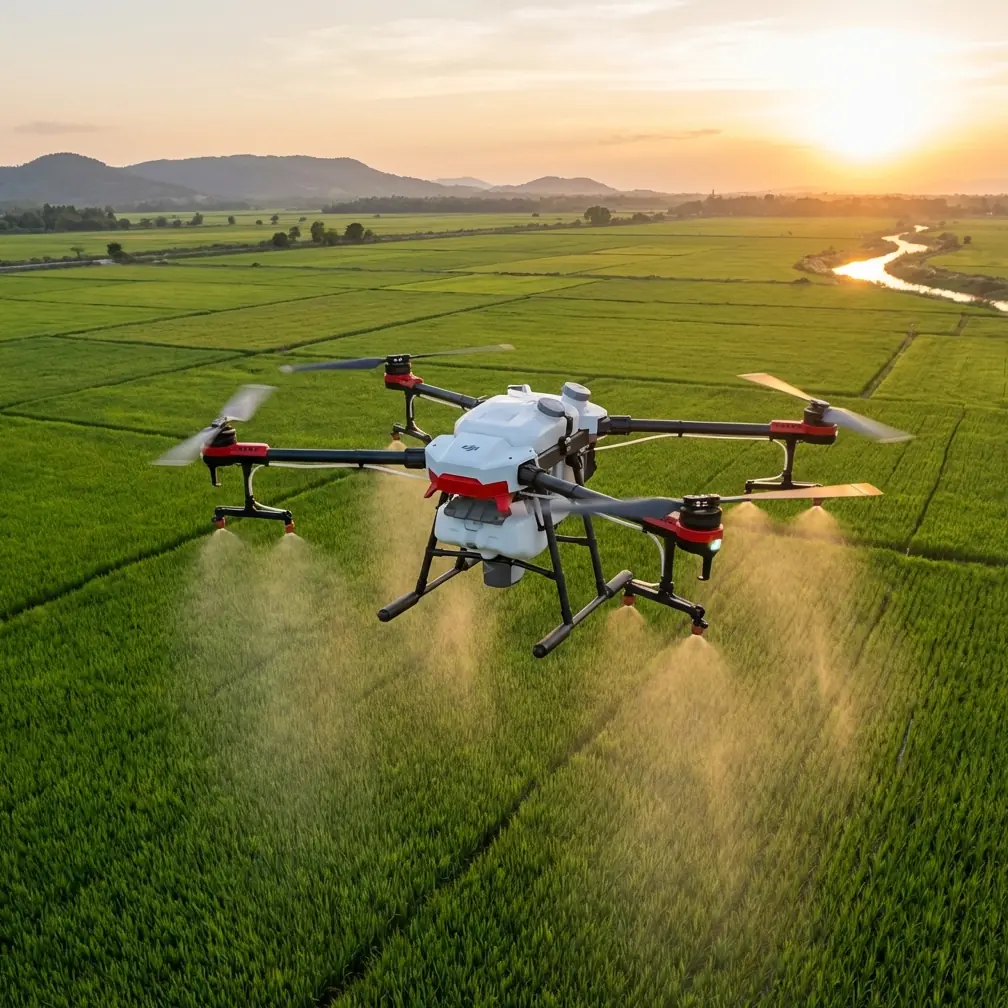
How to Inspect Solar Farms in Windy Conditions with Flip
META: Learn how to use Flip for solar farm inspections in windy conditions, with practical flight setup tips, obstacle avoidance strategy, subject tracking use cases, and accessory advice for safer, cleaner data capture.
Wind changes everything on a solar site.
A calm-day flight plan can fall apart the moment gusts start pushing the aircraft sideways over long panel rows, kicking up dust near service roads, and forcing constant stick corrections around inverters, tracker structures, fencing, and cable runs. If you are planning to inspect a solar farm with Flip, that reality matters more than any glossy feature summary. The aircraft is only part of the job. What counts is how you configure it, how you fly it, and how you keep your data usable when the site itself is working against you.
This tutorial is built for that exact scenario: using Flip to inspect solar farms in windy conditions. Not for cinematic cruising. Not for social clips. For fieldwork where stable framing, repeatable passes, and obstacle awareness determine whether the footage helps an operations team or wastes a morning.
Start with the mission, not the drone
A solar inspection flight usually has one of three goals.
The first is general condition review: checking panel rows, perimeter fencing, access roads, vegetation encroachment, drainage, and visible structural issues. The second is component-focused review: looking more closely at combiner boxes, inverter pads, tracker drivetrains, or recurring trouble spots identified by ground crews. The third is documentation: gathering consistent visual material that can be compared against earlier flights or passed to asset managers, EPC teams, or maintenance contractors.
Wind affects all three differently. On a broad site-overview mission, the problem is drift and framing consistency. On detail work, the problem is micro-stability near infrastructure. On documentation flights, the problem is repeatability. A gusty day exaggerates weak planning. That is why Flip’s obstacle avoidance and tracking-related features should be treated as support tools, not substitutes for a proper inspection method.
What Flip is actually good at on a solar site
Flip is best used as a fast-deployment visual inspection platform for short, intentional flight segments. That distinction matters.
A solar farm is repetitive by design. Long rows, repeating geometry, narrow service lanes, and reflective surfaces can trick pilots into flying too casually because the site looks simple from above. It is not. The repetition makes orientation harder, especially when the wind is pushing the aircraft off-axis. Flip’s value in this setting comes from helping the pilot maintain clean movement and situational awareness while still moving quickly between inspection targets.
Obstacle avoidance earns its keep here. On paper, that sounds obvious. In practice, it means you can devote more attention to framing, line selection, and wind response while the aircraft helps reduce the chance of careless contact with poles, fence lines, junction hardware, or elevated structures around the substation edge. On a solar farm, very few collisions happen because a pilot forgot the site had obstacles. They happen because fatigue, glare, wind, and repetitive terrain combine into one bad decision. That is where obstacle sensing has operational value.
ActiveTrack and subject tracking can also be useful, but not in the way many beginners expect. You are not “tracking” a panel row as if it were a cyclist. Instead, these tools are more practical when following a moving vehicle, a technician performing a visible check, or a maintenance convoy crossing a large site. In windy conditions, that can save mental bandwidth. Rather than fighting both a moving subject and crosswind drift manually, you let Flip handle part of the workload and focus on airspace, spacing, and route integrity.
Wind changes your inspection geometry
One of the biggest mistakes on solar inspections is flying long crosswind passes just because the row layout looks convenient from the launch point.
If the wind is hitting broadside, the aircraft will spend the entire pass correcting laterally. That creates small yaw inputs, uneven horizon behavior, and a subtle weaving motion that makes footage less useful for review. The better move is usually to align your route so the aircraft works into the wind or with it, at least for the critical segments where image consistency matters most.
This is not just about aesthetics. A panel inspection clip that drifts sideways can hide broken glass, frame misalignment, standing water, loose conduit, and vegetation near row edges. Clean lines reveal defects faster. Messy lines force more rewatching and still may miss the issue.
A simple field rule helps: do your precision passes on the most wind-favorable axis, then use reposition flights to set up the next segment. That may feel slower in the moment, but it usually shortens the total job because you spend less time correcting footage gaps later.
Build your pre-flight around the site’s risk points
Before launch, identify the parts of the site where wind is likely to create the most trouble:
- row ends where turning space is tight
- inverter stations and transformer areas with more vertical hardware
- fence lines and security poles
- access roads that generate dust wash
- drainage features and uneven terrain that disturb low-altitude airflow
This is where Flip’s obstacle avoidance should be configured thoughtfully rather than simply left on and forgotten. You want support, but you also need to understand how the aircraft may react if a gust coincides with an automated avoidance response near structures. On a solar farm, the safest path is often the one with the fewest sudden control surprises. That means testing response behavior in a clear area first, especially if the wind is inconsistent.
A third-party accessory can improve this workflow significantly. One of the most practical additions is a high-visibility landing pad. That may sound basic compared with camera add-ons, but on dusty, windy solar sites it solves two real problems: cleaner takeoffs and more reliable recovery. Dust and grit kicked up during launch can affect image quality and put unnecessary contamination near moving parts. A landing pad gives you a stable visual target and helps keep the aircraft out of loose gravel and fine debris. For recurring inspection work, that is not a minor convenience. It protects consistency.
Use QuickShots and Hyperlapse selectively
QuickShots and Hyperlapse are often treated as purely creative tools, but they can support inspection reporting when used with discipline.
QuickShots are useful at the start or end of a mission when you need a clean establishing sequence that shows site scale, access layout, or proximity to nearby terrain. A brief automated reveal can give operations teams immediate geographic context before they review detailed inspection clips. The key is restraint. One short establishing segment is valuable. A folder full of dramatic automated moves is not.
Hyperlapse has a narrower but still legitimate role. If you need to document cloud movement, shifting shadow patterns, weather progression, or the pace of maintenance activity across a section of the site, a controlled Hyperlapse sequence can show changes that standard video misses. On a windy day, though, only use it when the aircraft is holding position well enough to avoid jitter or route inconsistency. If the air is too unstable, skip it. Inspection first, visual extras second.
Camera settings matter more than people admit
When the wind is strong, pilots tend to focus entirely on aircraft control and forget that poor camera setup can ruin otherwise solid flights.
If your goal is inspection footage that supports later review, prioritize image consistency. D-Log can be useful if your workflow includes post-processing and you want more flexibility recovering highlights from bright panel reflections and contrast-heavy midday scenes. Solar farms are notoriously harsh environments for exposure. Glossy surfaces, bright sky, light gravel, and dark equipment pads can all sit in the same frame. D-Log gives you more room to shape that footage later.
But there is a practical warning here. If your team does not actually grade footage or archive it in a way that preserves that benefit, shooting D-Log may add work without delivering operational value. In that case, a more immediately usable profile may be the smarter choice. The real objective is not “cinematic” footage. It is footage that helps someone make a maintenance decision quickly.
I usually recommend treating camera choices as part of inspection design. Ask one question before takeoff: who is reviewing this, and what do they need to see on the first pass? That answer should guide your settings more than any default creator habit.
Fly shorter legs and review often
Long flights can be efficient on paper, but windy conditions reward shorter, more deliberate legs.
Instead of trying to capture an entire block in one go, break the mission into smaller chunks. Fly one section, land, review key clips, then continue. This catches framing problems early and gives you a chance to adapt if the wind shifts. Solar farms can feel visually uniform from the air, which makes it easy to assume the rest of the site will behave like the first pass. That assumption is often wrong. A row section near open ground may fly cleanly, while another near fencing and equipment compounds may be much rougher.
This is also the point where subject tracking can help beyond obvious “follow” shots. If you are coordinating with a ground technician inspecting a recurring trouble area, tracking that person or vehicle for a short segment can create a useful bridge between aerial context and on-the-ground action. It is especially effective when documenting which exact row or inverter block is being addressed. If you need a field coordination channel while setting up those passes, this quick message option can help keep the crew aligned: message the field team here.
Avoid the common solar-site mistakes
Windy solar inspections punish bad habits quickly. The most common issues are predictable:
Flying too low for the conditions. Lower altitude may seem safer, but gusts and rotor wash interactions near rows, roads, and structures can make the aircraft less stable, not more.
Overusing automation. Obstacle avoidance, ActiveTrack, QuickShots, and Hyperlapse all have their place. None of them should dictate the mission. Use them when they solve a real field problem.
Launching from dusty ground. A clean launch and landing area improves reliability more than many operators realize. This is why the landing pad accessory earns a place in the kit.
Ignoring glare angles. A panel row that looks fine from one direction can become unreadable from another. In wind, you may need to reposition and wait for the cleaner line rather than forcing a bad pass.
Treating every pass as final. Review footage while you are still on site. A five-minute check can save a return visit.
A practical windy-day workflow for Flip
If I were deploying Flip for a windy solar farm inspection, I would keep the workflow simple.
First, walk the launch area and pick the cleanest, safest takeoff point with a clear return path. Set up the landing pad. Second, do a short test hover and one brief pass to judge how the aircraft is holding line and how obstacle avoidance is behaving in the actual wind. Third, map the site mentally into segments rather than attempting one continuous sweep. Fourth, fly the most inspection-critical rows first, while your concentration is fresh. Fifth, use QuickShots only for a short establishing sequence if the report will benefit from it. Sixth, use D-Log only if your team can actually process it properly. Seventh, land early enough to review.
This method is not flashy. It is dependable. On field jobs, dependable wins.
Why this approach works
The reason Flip can be effective for solar inspections in windy conditions is not any one feature by itself. It is the combination of practical aids and disciplined flight choices. Obstacle avoidance reduces the chance of careless contact in repetitive, cluttered industrial terrain. ActiveTrack and subject tracking can simplify coordination with moving ground teams. QuickShots and Hyperlapse can add context when used sparingly. D-Log can preserve detail in brutal lighting if your workflow supports it. A simple third-party landing pad can improve launch cleanliness and recovery reliability on dusty sites.
Those details are operational, not decorative. They shape whether the aircraft helps produce actionable inspection data or just creates more footage to sift through.
If you are inspecting solar farms with Flip in the wind, the job is not to prove how much automation you can use. The job is to bring back stable, readable, decision-ready material. Fly the conditions. Respect the geometry. Let the tools support the mission, not define it.
Ready for your own Flip? Contact our team for expert consultation.