
Flip: Mapping Dusty Fields Without Guesswork
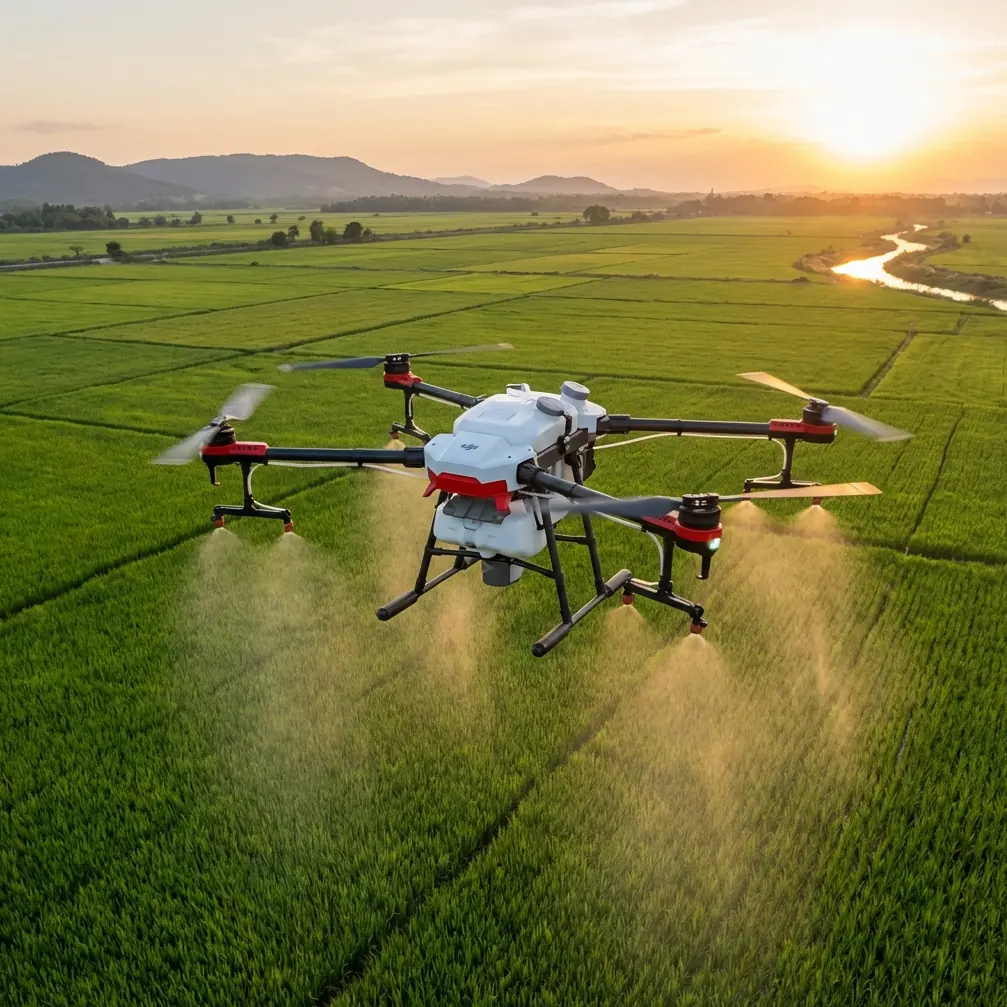
Flip: Mapping Dusty Fields Without Guesswork
META: A practical tutorial on using Flip for dusty field mapping, with flight altitude advice, obstacle awareness, and lessons drawn from Zhengzhou’s low-altitude tourism surge.
Dust changes everything.
Not the mission goal. Not the need for clean coverage. But the way you plan, launch, and recover a drone over fields where loose soil hangs in the air and visibility can shift in minutes. If you’re flying Flip for mapping in dusty agricultural ground, construction-adjacent farmland, or dry open plots, the difference between usable data and a frustrating reshoot often comes down to a few operational choices made before takeoff.
A recent tourism data point from Zhengzhou is a useful reminder that low-altitude aviation is no longer niche. From May 1 to May 5, low-altitude sightseeing centered on Shangjie Airport and linked to destinations such as Yuntai Mountain, Jigong Mountain, and Baoquan logged more than 2,700 passenger visits, including tourists and study groups, in just five days. On the surface, that sounds far removed from field mapping. It isn’t.
What it signals is rising traffic, rising public familiarity with low-altitude operations, and a stronger case for disciplined flight planning in shared airspace environments. If helicopter sightseeing can scale quickly around regional scenic corridors, then civilian drone operators mapping land near travel routes, airports, peri-urban edges, or tourist infrastructure need to think more carefully about altitude, spacing, timing, and recovery zones. The sky over working landscapes is getting busier.
For Flip users, especially in dusty conditions, that matters operationally.
Why dusty field mapping is its own category
A green crop field and a dry field may look similar on a mission checklist. In reality, they behave very differently once the props spin up.
Dust affects three things first:
- takeoff and landing reliability
- image consistency near the ground
- confidence in obstacle sensing and visual tracking
Flip’s compact form factor and intelligent flight features are useful here, but they don’t cancel out environmental physics. Dust plumes kicked up during launch can briefly reduce visual clarity around the aircraft. That becomes more relevant if you’re relying on automated features such as obstacle avoidance or ActiveTrack during positioning or transition shots around the field perimeter. The system can help, but dust is one of the few field variables that can degrade the scene the drone is trying to interpret.
So the priority is simple: keep the dirtiest air near the ground from interfering with the most important part of the mission.
The best altitude range for dusty field mapping
If you want one practical rule, use this:
For dusty field mapping with Flip, start your grid at roughly 35 to 50 meters above ground level, then adjust based on field size, wind, and the detail level you need.
That range works well because it balances three competing needs:
- high enough to reduce the impact of ground-level dust haze
- low enough to retain useful field detail
- stable enough for consistent overlap and cleaner stitching
Flying lower than that can be tempting if you want maximum detail. But in dusty conditions, very low passes can cost you more than they deliver. Rotor wash can disturb loose topsoil during launch and low repositioning. Near-ground haze also softens contrast in imagery, especially over dry brown surfaces that already lack strong visual separation.
Flying much higher can help escape dust entirely, but it introduces another problem: less ground detail per frame. For field diagnostics, boundary verification, drainage pattern review, or crop-row visibility, there’s a point where extra altitude starts diluting the value of the map.
So if you need a dependable starting point, 40 meters AGL is often the sweet spot for a first pass in dusty fields.
Then tune from there:
- 35 to 40 meters for smaller plots or when row-level visibility matters
- 40 to 50 meters for broader acreage and more stable coverage in dusty air
- 50 meters plus only when you need wider-area context and can accept lower spatial detail
Why altitude matters more when the air is dirty
The Zhengzhou tourism story offers a useful contrast. Those helicopter sightseeing routes connected scenic destinations across a broader regional footprint, with Shangjie Airport acting as the operating core. That kind of hub-and-spoke model works because the aircraft are not trying to capture fine visual data from close to the ground. They’re moving people through an experience zone.
Field mapping is the opposite. You’re not transporting anyone. You’re extracting information from surface patterns. Every meter of altitude changes the information density of the mission.
In dusty conditions, the wrong altitude creates a double penalty:
- dust interference close to the ground
- reduced data quality if you climb too high to avoid it
That’s why altitude selection shouldn’t be guessed. It should be chosen intentionally based on surface condition and the output you need.
Takeoff technique matters more than many pilots realize
Most dusty-field mapping problems begin before waypoint one.
If your launch point is loose, dry, and exposed, Flip may enter the mission with dust already circulating around the aircraft. Even if the images captured later are acceptable, the takeoff phase can create unnecessary contamination risk and reduce visual confidence during the first few seconds of flight.
A better workflow:
- launch from a pad or firm surface if possible
- avoid facing the aircraft directly into active dust gusts at startup
- climb promptly to a clean buffer altitude before beginning the mapping line
- keep the landing zone separated from the dustiest part of the field
This is where obstacle avoidance deserves a realistic note. It’s helpful, especially around field-edge trees, poles, irrigation structures, or utility lines. But in dusty air, no avoidance system should become an excuse for sloppy launches or low, drifting transitions. Use the feature as support, not as a substitute for clean piloting.
How to use Flip’s smart features without compromising the map
Flip users often want to mix utility with presentation. That’s reasonable. A mapping mission may also need a few polished clips for stakeholder reports, farm updates, or project documentation. Features like QuickShots, Hyperlapse, and subject tracking can contribute to that, but they should not interfere with the data flight.
The best sequence is:
1. Map first
Complete the field coverage while batteries are fresh and the atmosphere is still predictable.
2. Capture context shots second
After the core mapping run, use QuickShots or a short Hyperlapse from a safe perimeter position if the client or team needs visual context around roads, storage zones, access routes, or adjacent land.
3. Use ActiveTrack selectively
ActiveTrack can be useful for following a tractor, utility vehicle, or inspection walk along a boundary, but not during the actual mapping grid. Keep tracking functions separate from survey logic.
4. Record in D-Log if post-processing matters
If you’re documenting dusty site conditions for reporting, D-Log can preserve more flexibility for grading and visibility balancing later. That’s especially helpful in flat midday light, where dry soil and pale vegetation can look washed out.
The key is role separation. Mapping is about consistency. Creative flight tools are for supporting visuals, not replacing structured coverage.
Wind and dust: the hidden altitude modifier
Dusty fields are rarely just dusty. They’re often windy enough to keep particles moving across the surface. That changes how Flip should be flown.
If wind is mild and surface dust is settled, 35 to 40 meters may give you the best detail.
If wind is lifting visible dust across the field, climbing closer to 45 or 50 meters usually improves image clarity and overall mission consistency. You lose a little detail, but you often gain a more usable map because the frames are cleaner and more even.
Watch for these signs that you should increase altitude:
- visible streaks of dust crossing the field
- low-contrast ground texture in the live view
- inconsistent clarity between parallel passes
- dust devils or localized swirls in open sections
When those appear, don’t keep forcing a low-altitude plan. Raise the mission, preserve overlap, and prioritize uniform results.
Field edges are often the real obstacle zone
Open land feels simple from the ground. From the air, most mapping interruptions happen at the perimeter.
Tree lines, pump structures, power lines, fences, sheds, and access roads all tend to collect at the edges. If the field is near scenic or mixed-use territory, that complexity can increase. And that brings us back to the Zhengzhou signal.
A holiday period that drew more than 2,700 people into low-altitude sightseeing over five days shows how quickly civilian air activity can concentrate around regional nodes. If your field sits anywhere near local tourism corridors, training routes, or aviation activity centered around an airport hub, treat the mission with more structure than a remote farm survey.
That means:
- verifying local operational constraints before launch
- avoiding casual climbs beyond your planned ceiling
- maintaining a clear visual plan for ingress and egress
- building extra margin around field-edge obstacles
In other words, don’t think only about the field. Think about the airspace around the field.
A practical mission template for Flip in dusty conditions
Here’s a clean, repeatable approach.
Pre-flight
Inspect the field surface and identify the least dusty launch zone. Check wind direction. Note all field-edge hazards, especially poles and wires. If you need a second opinion on setup logic, you can share the site details here: message our flight planning desk.
Launch
Use a pad or stable hard surface. Lift decisively to a safe hover above the dust layer rather than lingering low.
Initial climb
Go to around 40 meters AGL for the first evaluation pass. Check image clarity and surface detail in the live feed.
Mapping run
Maintain consistent altitude and overlap. Avoid mixing manual cinematic moves into the grid mission. Let the survey stay boring. Boring is good when you need stitchable data.
Mid-mission adjustment
If dust bands are visible or the field texture looks muddy, raise altitude in small increments. If the field is compact and air is clean, you can come down slightly to improve detail.
Supplemental capture
Once the map is complete, gather any perimeter footage using QuickShots, Hyperlapse, or a short manual orbit from a safe distance. If vehicles or personnel need to be documented, use ActiveTrack only outside the grid mission.
Landing
Return to the cleanest available spot, not necessarily the closest one. Dust at landing is just as avoidable as dust at takeoff.
The real lesson
What happened in Zhengzhou over that five-day holiday window was more than a tourism spike. It showed how civilian low-altitude activity can mature quickly when an airport-centered operation connects multiple destinations and public demand is ready. For drone operators, that wider normalization of low-altitude flight changes the backdrop of routine missions.
At the same time, dusty field mapping remains a precision job. It rewards method over improvisation.
For Flip pilots, the smartest move is not to chase the lowest possible altitude or the flashiest autonomous feature. It’s to choose an altitude that keeps the aircraft above the dirtiest air while preserving the detail the map actually needs. In most dusty fields, that means starting near 40 meters AGL, then adapting with discipline.
That one decision tends to improve everything else: cleaner imagery, steadier overlap, fewer dust-related surprises, and a smoother path from takeoff to final stitched output.
Ready for your own Flip? Contact our team for expert consultation.