
Expert Mapping with Flip in Remote Fields
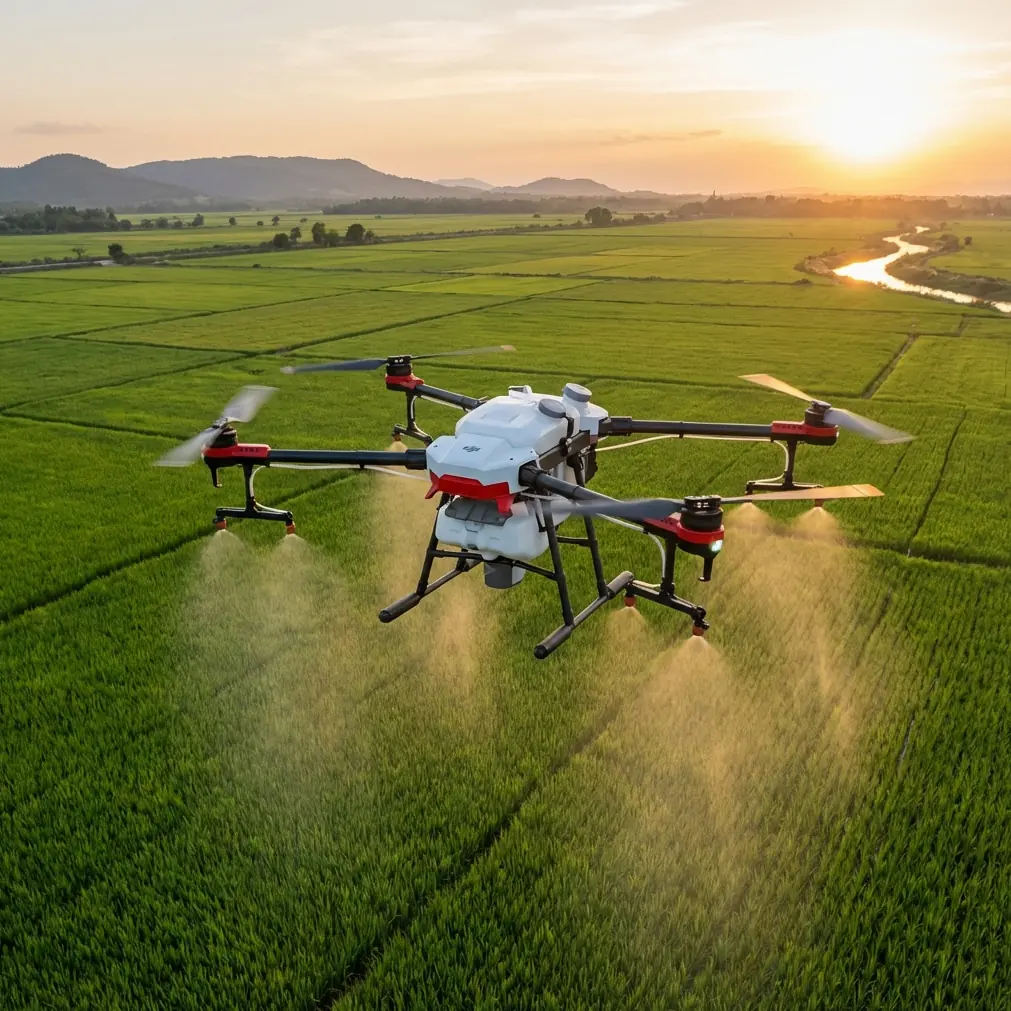
Expert Mapping with Flip in Remote Fields: A Practical Workflow That Respects Survey Standards
META: Learn how to use Flip for remote field mapping with a survey-grade workflow, coordinate conversion discipline, orthomosaic production, and interference-aware flight habits.
Remote field mapping looks simple until the data comes back wrong.
Not obviously wrong, either. The drone flies, the imagery looks sharp, the field boundaries seem clean on screen, and everyone assumes the mission worked. Then the deliverables have to line up with an existing land parcel layer, an older topo sheet, or a client archive built in another coordinate system. That is where weak workflows get exposed.
If you’re using Flip to map agricultural land, rural corridors, or remote sites, the aircraft is only one part of the job. The real discipline sits in the chain from image capture to aerial triangulation, DSM generation, and orthophoto output. The reference material behind this discussion points to something many operators still underestimate: automation is useful only when it remains compatible with established mapping systems and national-standard output requirements.
That matters a lot in remote fields, where reshooting can mean another long drive, another weather window, and another day lost.
What actually matters in a remote mapping workflow
A field mission usually has three practical demands.
First, the flight has to be stable enough to collect consistent overlap and usable image geometry. Second, the processing pipeline has to ingest the data without friction. Third, the output has to match the coordinate framework and map production rules the project already lives in.
The source material highlights a highly automated photogrammetry pipeline covering interior orientation, relative orientation, aerial triangulation, DSM production, and orthophoto generation. Operationally, that tells us something important for Flip users: your mission planning should aim to feed a processing environment that rewards clean, repeatable capture rather than heroic manual correction later.
In remote agricultural areas, that usually means flying with restraint. Keep your route simple. Preserve overlap margins. Avoid improvising once you’re in the air just because the field appears open. Big fields are deceptive. Tree lines, irrigation equipment, utility runs, and uneven ground can all distort your assumptions about coverage.
Why coordinate conversion is not a back-office detail
One of the most consequential details in the reference set is support for coordinate conversion across Beijing54, Xian80, and CGCS2000, including free-zone transformations. For many readers, that may sound like a niche office-side feature. It isn’t.
It determines whether your map can live in the same world as the client’s existing data.
In practice, remote field projects often involve layered information from different eras: old cadastral sheets, more recent engineering basemaps, local survey control, and current UAV imagery. If your Flip mission produces excellent imagery but the orthophoto cannot be transformed cleanly into the working system, the quality of the flight becomes secondary.
This is especially relevant when mapping distributed farmland or rural infrastructure corridors that cross administrative or projection conventions. A system that can handle Beijing54, Xian80, and CGCS2000 reduces downstream friction, but it does not remove the operator’s responsibility. You still need to confirm the target coordinate system before takeoff, not after processing.
That single habit prevents a huge amount of avoidable rework.
A practical Flip workflow for mapping remote fields
Let’s build this as a field-first tutorial rather than a software brochure.
1. Start with the final map, not the drone
Before you power on Flip, define the output the project actually requires:
- Orthophoto only, or orthophoto plus DSM
- Required coordinate system
- Expected map scale or deliverable standard
- Whether the client needs compatibility with previous photogrammetry data
- Whether corridor-style coverage is involved
This is where the reference to GB7930-87 becomes operationally significant. The source states that the adjustment accuracy meets the requirements for 1:1000 orthophoto topographic mapping under the national standard. That does not mean every casual mission automatically reaches that threshold. It means the processing environment is capable of producing output aligned with that level when the capture and control are done properly.
For a Flip operator, the lesson is simple: fly like the final map will be audited.
2. Check the environment for electromagnetic interference before launch
The user prompt specifically points to electromagnetic interference and antenna adjustment, and this is one of those subjects operators often dismiss until they see unstable telemetry in the field.
Remote does not always mean clean RF conditions. Pumping stations, rural substations, metal sheds with active equipment, long transmission lines, and even communication towers near agricultural zones can create interference pockets or multipath behavior.
When I arrive at a site, I do not assume the takeoff point is automatically the best control point for the aircraft link. I power the system up, observe signal behavior on the ground, and physically adjust position before launch if necessary. A small relocation can make a larger difference than people expect.
A few habits help:
- Stand clear of vehicles, fences, and metal-roofed structures when assessing signal.
- If the link looks unstable, rotate your body and controller orientation before blaming the aircraft.
- Adjust antenna angle deliberately rather than casually pointing everything at the drone.
- Avoid launching directly beneath or beside utility lines.
- If the mission route runs along a corridor, test the first leg mentally for likely shadowing zones.
With Flip, that discipline matters because mapping quality depends on consistent execution. The goal is not cinematic stick work. It is uninterrupted, predictable coverage. Link confidence supports that.
3. Plan for overlap that survives real field conditions
Remote fields often have wind exposure that urban pilots underestimate. Even mild gusting can affect track consistency, especially on long passes over uniform crops where visual cues are weak.
Build overlap with enough margin that the dataset remains strong if the aircraft has to make minor speed or attitude corrections. Since the source material emphasizes automated aerial triangulation and strong downstream processing, your job is to give that engine robust image relationships to work with.
This is one reason I prefer a conservative mission design over the temptation to save a few minutes in flight time.
4. Use ground control intelligently, not excessively
The source specifically mentions using oblique imaging together with a reasonable arrangement of field control points, then importing image data, POS data, and control point data into an automated modeling workflow. The phrase “reasonable arrangement” deserves attention.
For remote field mapping, a few well-placed control points usually outperform a large number of poorly distributed ones. If the area is a long rural strip, distribute control along the alignment, not just around the launch area. If it is a broad agricultural block, place control to stabilize corners and the interior.
The point is not volume. It is geometry.
And because remote fields can be hard to revisit, document each control point carefully. Record photos, notes, and access references. If processing reveals an issue, good documentation can save a return trip.
5. Decide when oblique capture helps
The reference data mentions oblique photography for collecting both oblique and orthographic imagery along a route. That has direct value in field environments where you are not only mapping flat ground, but also drainage cuts, embankments, agricultural facilities, retaining edges, or service buildings.
If your project is purely orthomosaic-based crop boundary mapping, full oblique collection may not be necessary. But if the field includes elevation transitions, structures, or corridor assets, oblique imagery can strengthen modeling and reduce ambiguity in 3D reconstruction.
That becomes especially useful if you plan to build a true 3D model rather than a flat map product.
Processing discipline: where compatibility saves time
Another underappreciated detail from the reference material is support for importing common aerial triangulation results such as DATMatrix, Patb, Jx-4, VirtuoZo, LH, and Bingo, plus support for data from multiple digital sensors including ADS40, ADS80, ADS100, DMC, and others.
Why should a Flip user care?
Because field mapping rarely happens in isolation. Many projects are hybrids. A local team may already have legacy photogrammetry results, corridor baselines from another platform, or historical data generated from manned aerial sensors. A workflow that can import common triangulation outputs and convert between domestic and international datasets is far more valuable than one that traps your work inside a single closed ecosystem.
Operationally, that means your Flip-collected data can become part of a larger production environment instead of forcing a clean-slate rebuild every time.
That is not glamorous. It is just efficient.
Projection zones and map sheet cutting are not boring details
The source also notes support for reprojection between 3°, 1.5°, and 6° zones, including custom central meridians, along with standard map-sheet clipping by sheet name, coordinate system, or table import. For remote field operators, this is where deliverables become usable.
A good orthophoto is not just visually correct. It must be cut, projected, and named in a way that aligns with the consumer’s system. Agricultural bureaus, engineering contractors, land consolidation teams, and environmental consultants rarely want a giant undifferentiated export. They need manageable sections tied to a known grid or sheet index.
If your Flip workflow supports this kind of downstream discipline, your output moves faster into analysis and reporting.
Handling large datasets without getting stuck
One concrete number in the source deserves attention: a 64-bit DEM toolset capable of clipping orthophotos and DEM data up to 10GB. In remote field work, that number matters because larger rural projects can become surprisingly heavy once you combine high-resolution imagery, DSM layers, and repeated survey blocks.
A 10GB clipping capacity is not just a technical brag. It signals that the workflow is built for production-scale data handling rather than toy datasets. For anyone mapping extensive farmland, irrigation districts, plantation areas, or long utility-adjacent rural corridors, that kind of headroom reduces the need to fragment projects prematurely.
The practical takeaway for Flip operators is to think in project blocks, not just flights. Organize naming, control, and processing so that large-area continuity remains intact as long as possible.
What Flip operators often get wrong in remote agriculture
The biggest mistakes are usually ordinary:
- Choosing convenience over coordinate certainty
- Treating signal checks as optional because the site “looks open”
- Using too little control on long, narrow field alignments
- Assuming automation will rescue weak overlap
- Exporting imagery without verifying projection and sheet structure
- Forgetting that client compatibility is part of quality
None of those are hardware failures. They are workflow failures.
A better field habit: treat the mission like part of a survey chain
Flip can be a very capable mapping tool in remote environments, but only when the operator respects the survey chain behind the images. The source material is clear on what a mature workflow looks like: automated aerial triangulation, DSM and orthophoto generation, multi-system coordinate conversion, broad sensor and result compatibility, projection flexibility, standardized map output, and automated 3D modeling from image, POS, and control-point inputs.
That collection of features points to a professional truth: value in mapping does not come from flight alone. It comes from how cleanly the flight integrates into the full production system.
If you’re building your own remote-field process and want to compare notes on coordinate setup, interference-aware launch habits, or deliverable formatting, you can message the project team directly here.
For me, the best remote mapping jobs are the ones that feel uneventful. The signal is stable. The antenna orientation is right from the start. The passes are clean. The control is enough, not excessive. The processing accepts the data without argument. The projection matches what the client already uses. The orthophoto drops into the existing GIS and simply fits.
That kind of success is quiet. It rarely looks dramatic in the field. But it is what separates a drone flight from a map product.
And for anyone using Flip in remote agricultural or rural survey work, that distinction is the whole job.
Ready for your own Flip? Contact our team for expert consultation.