
Flip for Scouting Fields in Low Light: What Actually
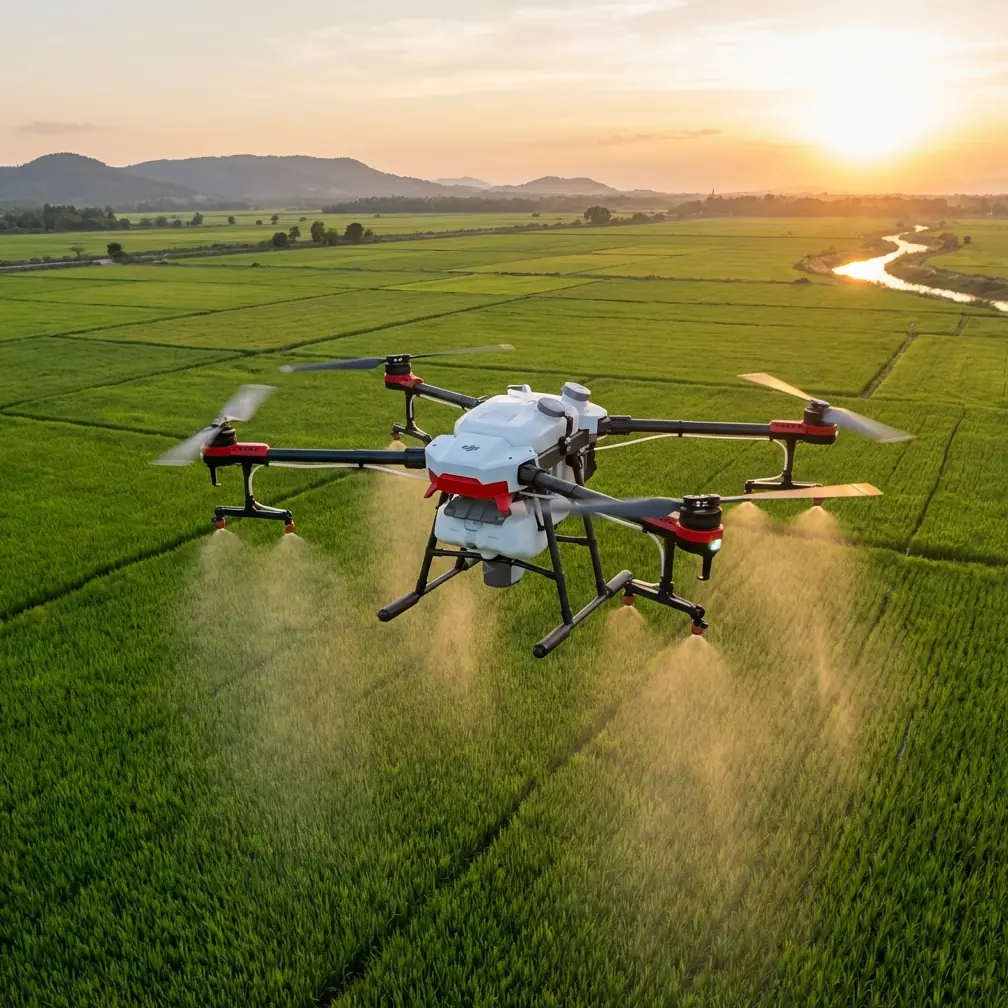
Flip for Scouting Fields in Low Light: What Actually Matters Before Sunrise
META: A practical expert guide to using Flip for low-light field scouting, with flight altitude tips, obstacle avoidance strategy, ActiveTrack use, D-Log capture, and safer pre-dawn workflows.
Low-light field scouting sounds simple until you actually try it. The land is quiet, the wind is usually manageable, and the light can be beautiful. But that same soft pre-dawn or late-evening glow makes it harder to judge tree lines, irrigation equipment, fence wires, drainage cuts, and uneven crop texture from the air. This is where a compact drone like Flip becomes genuinely useful—not as a cinematic toy, but as a field-reading tool.
I approach this as a photographer first, but the lessons translate directly to growers, land managers, agronomists, and rural property operators. When you are scouting fields in low light, the goal is not just to get airborne. The goal is to return with footage that helps you make a decision. That means choosing a flight height that reveals patterns without sacrificing detail, leaning on obstacle avoidance where it helps, and using tracking and automated modes only when they support the mission.
The biggest mistake I see is treating low-light scouting like a standard daytime flight. It is not. Your margin for error narrows, your visual references flatten out, and the wrong altitude can hide the very field conditions you are trying to inspect.
The real problem with low-light field scouting
At sunrise and sunset, shadows stretch and merge. Small dips in a field can look dramatic from one angle and disappear from another. Moisture variation may become more visible in some areas while crop rows lose separation in others. If there are hedgerows, utility poles, or old fence posts near the field boundary, they can blend into the background.
That matters operationally for two reasons.
First, low light can distort your sense of scale. A pass that looks safely clear on the screen may be tighter than you think once you account for trees, wires, or machinery staged near an access road.
Second, field patterns become easier and harder to read at the same time. Broad texture issues—standing water, lodged crop patches, uneven emergence zones, tramlines, compacted paths—can stand out beautifully. Fine inspection detail usually does not. So your flight setup has to match the kind of information you want.
This is where Flip’s feature set deserves a more practical discussion than the usual marketing shorthand.
Why Flip fits this scenario
For low-light field work, a compact aircraft is useful because it can be deployed quickly during narrow timing windows. Dawn and dusk do not wait while you sort batteries and cases. Flip makes sense when you need something fast to launch, easy to reposition, and capable of producing footage clean enough for both visual review and post-processing.
Two features matter immediately here: obstacle avoidance and subject tracking.
Obstacle avoidance is operationally significant because low-light flights reduce your ability to visually separate foreground hazards from the terrain behind them. If you are skimming a field edge to inspect windbreak condition, drainage entry points, or the transition between crop and ditch, automated sensing can add a layer of protection against misjudged proximity. It does not replace pilot judgment, especially around thin wires or visually complex boundaries, but it can reduce the chance of a small mistake becoming a damaged aircraft.
ActiveTrack, or subject tracking more broadly, matters for a different reason. In agricultural or land-management scouting, you may want the drone to hold attention on a moving utility vehicle, a person walking a perimeter, or a tractor crossing a section that needs review. That lets the pilot focus more on route awareness and framing consistency instead of constant manual camera correction. Used carefully, it can produce repeatable footage that is actually easier to compare from one scouting session to the next.
Those are not luxury features in this context. They directly support safer flights and more usable field observations.
The altitude sweet spot most people miss
If you only remember one number, make it this: for most low-light field scouting, start around 30 to 45 meters above ground level.
That range is often the best compromise between pattern recognition and visual clarity.
Below roughly 30 meters, you may get dramatic-looking footage, but your field of view becomes too narrow for reading larger issues. Crop texture dominates the frame. Rows, shadows, and individual plants can become visually busy, especially in weak light. You also increase your exposure to tree lines, poles, irrigation pivots, and other edge hazards.
Above roughly 45 meters, broad patterns become easier to see, but low-light softness can start to flatten the useful detail. Patches of poor vigor or wet ground may still be visible, but subtle transitions can wash together. If you are trying to inspect field entry points, wheel tracks, localized storm impact, or edge encroachment, you may be too high to interpret it confidently.
That 30 to 45 meter band usually gives you three advantages:
- enough width to see drainage flow and crop uniformity,
- enough resolution to distinguish meaningful irregularities,
- enough clearance to keep obstacle avoidance working in a more forgiving geometry.
If the field is bordered by tall trees or power infrastructure, I prefer beginning closer to the upper end of that window, then stepping down only after a safe perimeter pass. If the land is open and the objective is to examine a specific patch, I will start around 35 meters and adjust in small increments rather than diving low immediately.
This is a more disciplined way to work than chasing cinematic angles. It also produces footage you can review later without guessing what you were looking at.
A smarter low-light workflow with Flip
The best low-light flights are usually boring in the best sense. Calm, repeatable, methodical.
Here is the workflow I recommend.
1. Fly the perimeter first
Before crossing the interior of the field, make one deliberate perimeter orbit or rectangular boundary pass at a conservative altitude. This does two things. It exposes obstacles early and helps you understand how the low-angle light is interacting with the land.
A drainage ditch hidden from the launch point may become obvious from one side. A lone tree or abandoned equipment near the edge may cast a longer visual influence than expected. If Flip’s obstacle avoidance alerts you during this pass, treat that as useful reconnaissance, not an annoyance.
2. Use the center of the field as your reference plane
In low light, terrain can trick your eye. If the field has a crown, basin, or slope, altitude relative to your launch point may feel less intuitive as you move away. Keep checking your position over the central field plane and avoid hugging edges too closely until you have read the area properly.
3. Keep your speed down
Low-light scouting is not the moment to rush. Slower forward movement gives obstacle avoidance and your own visual judgment more time to work. It also improves your footage for review. If you capture something useful, you want enough frame stability to actually study it later.
4. Record in D-Log when contrast is tricky
D-Log becomes valuable in exactly the sort of scene that confuses cameras: bright horizon, dark field, reflective wet spots, deep tree shadows. If your aim is post-flight analysis rather than instant social posting, flatter capture gives you more room to recover highlight and shadow detail. That can make a difference when comparing field sections that looked nearly identical on the live view.
This is not just a creative preference. It is practical. In scouting, preserving tonal separation can reveal surface moisture changes, soil disturbance, or boundary details that standard contrast-heavy capture may crush or clip.
Where QuickShots and Hyperlapse actually fit
Most field operators do not need automated cinematic modes for routine scouting. But that does not mean QuickShots and Hyperlapse are useless.
QuickShots can help when you want a fast, repeatable visual summary of a field entrance, storage area, or isolated feature such as a pond edge or access track. If you return to the same site regularly, a consistent automated move can create a simple visual baseline.
Hyperlapse is more niche, but it has one strong use in this environment: showing changing light or activity over a short period. If morning fog is lifting off a low section of land or irrigation flow is creating visible reflective changes, a controlled Hyperlapse sequence can turn a subtle field condition into something immediately understandable.
The key is restraint. These modes should support documentation, not distract from it.
ActiveTrack in the field: useful, with boundaries
ActiveTrack is one of those features that sounds flashy until you use it well. Then it becomes quietly productive.
Suppose a farm manager is driving the field edge to inspect washout areas after weather. With ActiveTrack, Flip can follow at a measured distance while maintaining a stable view. That gives you contextual footage of the route, adjacent vegetation, drainage lines, and access conditions without constant manual yaw corrections.
Operationally, this matters because it reduces pilot workload at a time when lighting already raises cognitive demand. In low light, every bit of attention you can preserve for airspace awareness and obstacle management helps.
That said, I would not rely on tracking near dense trees, wires, or visually cluttered boundaries just because the feature exists. Tracking should be used in open sections where escape routes and line of sight remain clear. The safer choice is often to disable automation once the route becomes complex.
How obstacle avoidance changes your risk profile
Obstacle avoidance is often oversimplified. People either trust it too much or dismiss it entirely. Both are mistakes.
For low-light field scouting, it should be treated as a backstop. Its value is not that it makes difficult flights easy. Its value is that it gives you another layer of situational awareness in conditions where visual depth cues are weaker.
That is especially relevant when transitioning from open field to boundary zones. A line of trees, a shed roof, a pole, or even tall volunteer growth near a ditch can emerge quickly when ambient light is low. If Flip warns early or adjusts to avoid a developing conflict, that may be enough to break the chain of bad decisions.
Still, thin wires remain a classic problem, and no responsible pilot should assume any automated system sees every hazard equally well. Obstacle avoidance is a support tool, not permission to fly casually.
Image-making and decision-making are not the same thing
As a photographer, I care about beautiful light. As someone thinking about field scouting, I care more about interpretability.
Those goals overlap, but they are not identical.
The most dramatic low-angle shot at 10 meters may look great and tell you very little about crop uniformity. A less glamorous pass at 40 meters may reveal drainage trouble, missed strips, edge pressure, or uneven canopy development. If your mission is scouting, choose the flight that explains the field, not the one that flatters it.
That mindset also changes how you review footage. Do not just ask whether the video is sharp. Ask whether you can compare one section to another. Ask whether shadow is clarifying terrain or hiding it. Ask whether your altitude let you see relationships, not just isolated detail.
A practical flight template for low-light scouting
If I were heading out with Flip to scout a field before sunrise, this is the template I would use:
- Launch with enough ambient light to maintain strong visual orientation.
- Begin at 40 meters for a perimeter pass.
- Check how shadows are interacting with rows, wet spots, and edges.
- Drop to around 35 meters for targeted interior passes if more detail is needed.
- Keep speed moderate and turns gentle.
- Use D-Log if the sky-to-ground contrast is severe.
- Reserve ActiveTrack for open-route follow work only.
- Use QuickShots only when a repeatable visual reference adds value.
- Stay conservative around trees, poles, and any possible wire corridors.
If you want to compare notes on a specific field setup or pre-dawn workflow, you can message directly here.
The bottom line on Flip in low light
Flip makes sense for low-light field scouting when it is used with discipline. Its obstacle avoidance can help reduce risk around uncertain boundaries. Its ActiveTrack capability can simplify open-area follow work. D-Log gives you more usable tonal information when dawn contrast is difficult. QuickShots and Hyperlapse can support documentation when used selectively.
But the feature that matters most is not buried in a spec sheet. It is your altitude choice.
For this scenario, 30 to 45 meters is usually the range where Flip becomes most useful as a scouting platform rather than just a camera in the sky. That height preserves context, keeps hazards more manageable, and captures field patterns that hold up under review. In weak light, that balance is everything.
Ready for your own Flip? Contact our team for expert consultation.