
Flip Surveying Tips for Remote Coastlines
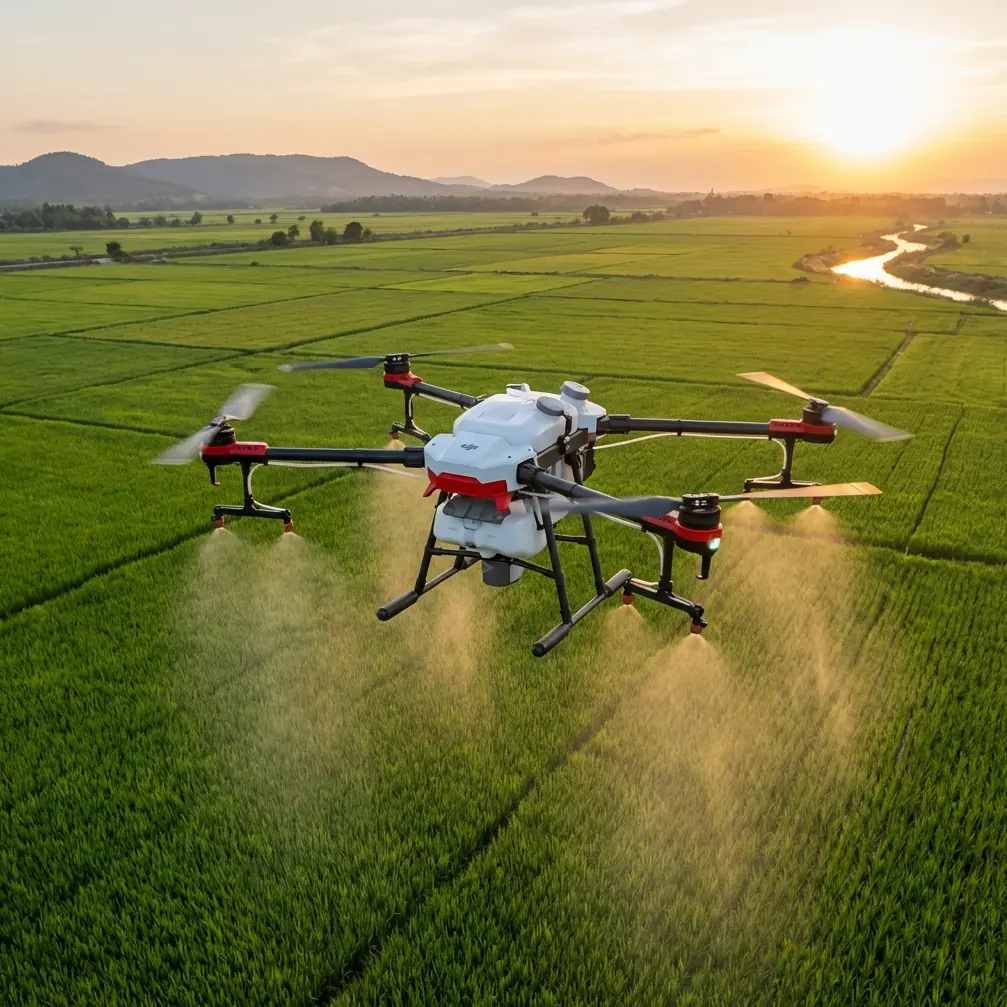
Flip Surveying Tips for Remote Coastlines: A Field Tutorial from a Photographer’s Perspective
META: Practical Flip coastline surveying tutorial covering obstacle avoidance, ActiveTrack, D-Log, Hyperlapse, and workflow tips for remote shoreline mapping and visual inspection.
Remote coastline work punishes lazy technique.
Wind shifts off the water. Salt hangs in the air. Rock faces confuse depth perception. Birds appear where your flight path looked clean a second earlier. If you are using Flip to survey isolated shoreline stretches, the drone’s convenience matters, but its real value shows up in how well you prepare its sensing, tracking, and image settings for an environment that changes by the minute.
I approach this less like a brochure and more like a field routine. I’m a photographer first, which means I care about image quality, but on remote coasts, usable footage and safe recovery come before anything artistic. Flip is especially well suited to this kind of work when you need a compact aircraft that can move from footpath to cliff edge to tidal flats without turning setup into a production.
This tutorial is built for readers who are surveying coastlines in remote locations, not filming a casual beach clip. The difference matters. A survey flight has repeatability, coverage logic, and risk controls. Even if your final output is visual documentation rather than formal mapping, you still need to think in passes, line of sight, environmental hazards, and recovery options.
Start with the coastline, not the drone
Most failed shoreline flights begin before takeoff. Operators focus on camera settings and forget the coast itself is the mission variable.
When I arrive at a remote section, I break the site into four layers:
- Surface motion — wave direction, reflected glare, foam lines, and surge zones
- Vertical hazards — cliff overhangs, sea stacks, poles, antenna remnants, driftwood piles
- Airspace behavior — gust corridors, rotor turbulence near rock walls, bird movement
- Exit options — clear return path, alternate landing zone, foot-access timing with tide
Flip’s obstacle avoidance is most useful when you treat it as an active safety buffer, not a substitute for route planning. Along coastlines, textured rock and vegetation often read well to sensors, but thin branches, wires, and irregular edges still deserve manual separation. The practical significance is simple: the drone can help you avoid a collision during a reactive moment, but your job is to prevent that reactive moment from happening over surf.
I learned this during a dawn survey on a narrow headland where a heron lifted unexpectedly from a tide pool below my flight line. Flip’s sensors recognized the changing scene quickly enough to help the aircraft avoid drifting toward a jagged outcrop while I adjusted course. That kind of wildlife encounter is exactly why obstacle avoidance matters operationally on the coast. It is not just about protecting the drone. It preserves control margin when something biological, not mechanical, disrupts the plan.
Build a repeatable preflight routine
Remote work punishes improvisation, so I keep the setup sequence fixed.
1. Confirm your visual objective
Ask one question: are you documenting condition, change, or movement?
- Condition means erosion faces, access paths, retaining walls, debris fields
- Change means comparing seasonal shoreline retreat, vegetation edge shifts, storm damage
- Movement means surf patterns, sediment transport indicators, river mouths, vessel traffic nearby
That answer determines altitude, lens direction, and pass spacing. If you do not decide this first, you will gather attractive footage that cannot support your actual purpose.
2. Set return logic conservatively
Remote coastlines often block direct recovery. A nominal home point may not remain your best landing option if the tide advances or if gusts strengthen at your launch ledge. Review your return behavior before launch and make sure your route home does not assume a straight line through rising terrain or bird activity.
3. Choose image settings for analysis, not social media
If your survey may need later grading or detailed review, shoot in D-Log. That gives you more room to manage harsh contrast from bright water and dark cliff faces. Operationally, this matters because shoreline scenes regularly exceed what a standard profile can hold cleanly in a single exposure. D-Log is not about making footage look cinematic. It is about preserving information in shadowed rock and reflective water so you can interpret conditions later with fewer compromises.
If you are doing a quick inspection with same-day delivery to a field team, a standard profile may be faster. But when the weather is unstable, I prefer to keep the extra tonal latitude.
4. Calibrate your flight style to the wind, not your schedule
Over land, you can often feel gusts before launch and adjust. Over water, the airflow one hundred meters out can be very different from where you stand. Start with a short outward leg and watch ground speed, braking behavior, and yaw stability before committing to the full route.
Use ActiveTrack carefully near water and rock
Flip’s ActiveTrack can be useful on coastlines, but only if the subject and scene are predictable. I use it for walking transects, small boat documentation near sheltered inlets, or following a defined inspection path along the edge of a beach access route.
I do not trust automatic tracking blindly near cliff walls, surf plumes, or dense bird presence.
The operational value of ActiveTrack is efficiency. It reduces manual stick workload when you need the camera to stay centered on a moving survey subject, such as a person tracing storm damage or a vehicle navigating a service road above the beach. That freed attention can be redirected to altitude control, situational awareness, and changing hazards.
But there is a limit. Water reflections, backlit spray, and sudden foreground objects can complicate tracking behavior. If the route contains rock spurs or exposed trunks, I switch back to manual control before the system has to make hard decisions in tight space.
A useful rule: if losing the subject for two seconds would create a risk, do not use tracking for that segment.
Plan your passes like a surveyor, frame them like a photographer
This is where many operators either overcomplicate or oversimplify.
For coastline documentation with Flip, I recommend three baseline pass types.
Pass one: the establishing line
Fly parallel to the shore at a stable altitude. Keep speed modest. This creates your geographic context: where the erosion scar sits relative to access paths, vegetation, structures, and tide line.
Think of this as the layer that answers, “Where is the problem?”
Pass two: the inspection line
Move closer, lower, and slower. Focus on the specific features that matter: undercut sections, collapsed fencing, rockfall accumulation, drainage outlets, washed-out steps, debris concentration.
This is the layer that answers, “What exactly changed?”
Pass three: the relation line
Angle the camera to connect one feature to another. Show how runoff reaches the beach. Show how a damaged stair intersects with cliff retreat. Show how wave attack reaches the base of an embankment.
This is the layer that answers, “Why does it matter operationally?”
That sequence turns a drone flight into a usable field record. It also helps if you need to brief someone who was not on site.
When QuickShots help and when they don’t
QuickShots can be useful for fast visual summaries, especially if you need a clean opening or contextual reveal around a sea stack, cove, or inspection point. In remote work, that can save battery and reduce manual repetition.
But QuickShots are not survey logic. They are presentation logic.
Use them sparingly for context, not for evidence gathering. If a feature must be measured, compared, or revisited later, capture it with manually controlled framing and repeatable positioning. A beautifully automated move is still the wrong move if it does not support interpretation.
Hyperlapse is underrated for coastline change cues
Most people think of Hyperlapse as a creative mode. On the coast, it can be much more practical.
If you are documenting changing surf energy, incoming weather, fog movement, beach use patterns, or tide progression across several minutes, Hyperlapse compresses environmental behavior into something immediately legible. That makes it easier to brief land managers, environmental teams, or clients who need to understand process, not just a frozen frame.
The operational significance is that movement patterns become obvious. You can see how wave wash reaches a vulnerable toe. You can see whether access routes remain clear. You can see mist and wind trends building before conditions become unsafe for extended flight.
I often shoot a short Hyperlapse before the main survey just to understand how the site is breathing that day.
Obstacle avoidance is strongest when paired with deliberate spacing
There is a bad habit I see often with compact drones: pilots fly unnecessarily close because they trust the aircraft to protect itself.
On a remote coastline, give Flip room.
Obstacle avoidance works best when it supports thoughtful separation from terrain. Leave wider margins near cliff faces than you think you need. Salt haze, shifting sun angle, and repetitive textures can all affect how confidently you interpret distance visually. The drone may be tracking the scene correctly while your own depth judgment drifts.
This is another reason I like to run coastline passes with simple geometry instead of fancy arcs. Straight or gently curving lines are easier to repeat, easier to compare across flights, and easier to interrupt safely if a gull, kite, or unexpected walker enters the scene.
A practical wildlife protocol
Coastlines belong to wildlife first. Your aircraft is the intruder.
My rule is strict: if birds change behavior because of the drone, I back off immediately. That includes repeated circling, alarm calls, flushing from nests or roosts, or raptors taking interest in the aircraft. The earlier heron incident was a reminder that even a well-managed flight can intersect with animal movement in seconds.
Here is the working protocol I use:
- scan for perched birds before launch
- avoid direct overflight of tide pools and nesting ledges
- hold extra lateral distance near colonies
- keep ascent and descent zones away from obvious feeding areas
- end the segment if behavior changes
This is not just ethics. It is flight risk management. Wildlife reactions are unpredictable, and no amount of sensor sophistication replaces respectful standoff distance.
Build a post-flight package that others can actually use
A good remote coastline survey is wasted if the files are chaotic.
My standard package includes:
- one wide establishing clip
- one medium inspection clip per issue area
- stills of critical features
- one annotated note on wind, tide state, and access
- optional Hyperlapse for environmental context
- color-managed exports if D-Log was used
This matters because shoreline work is often reviewed by someone who was never on the headland with you. They need structure. They need context. They need to know whether a washout was isolated or part of a longer erosive trend.
If you are coordinating with a remote team, I usually suggest sending a concise field note alongside the media. If that workflow needs tightening, you can message me here and I’ll point you toward a practical handoff format.
Recommended field sequence for Flip on remote coasts
If you want a simple operational template, this is the one I trust:
- Walk the launch area and identify an alternate landing point
- Watch bird activity for a few minutes before powering up
- Fly a short wind test leg offshore and back
- Capture one high, wide pass for context
- Capture lower inspection passes on priority features
- Use ActiveTrack only on predictable, low-risk segments
- Record a short Hyperlapse if environmental movement matters
- Finish with a manual return while battery margin is still comfortable
- Log site conditions before you leave
That order keeps the essentials first. If conditions deteriorate, you still leave with useful documentation.
The real advantage of Flip in this scenario
For remote coastline surveying, Flip’s strongest trait is not a single feature. It is the way compact deployment, obstacle avoidance, tracking tools, and flexible capture modes combine into a field system that can handle unstable, visually complex terrain without forcing you into a bulky workflow.
Two features stand out in real operations.
First, obstacle avoidance gives you a vital margin when coastline variables shift suddenly, whether that is a bird launch, a gust off a rock face, or a misread branch line above the beach. Second, D-Log protects image information in one of the hardest lighting environments a small drone will face: bright reflective water against deep coastal shadow. Those are not marketing details. They directly affect whether you bring home both the aircraft and the evidence you need.
If you treat Flip as a disciplined survey tool rather than a casual flying camera, it becomes extremely effective for remote shoreline work. The key is simple. Plan for the coast. Respect wildlife. Keep your passes repeatable. Let the smart features reduce workload, not replace judgment.
Ready for your own Flip? Contact our team for expert consultation.