
Surveying Urban Vineyards with Flip: What GS Pro
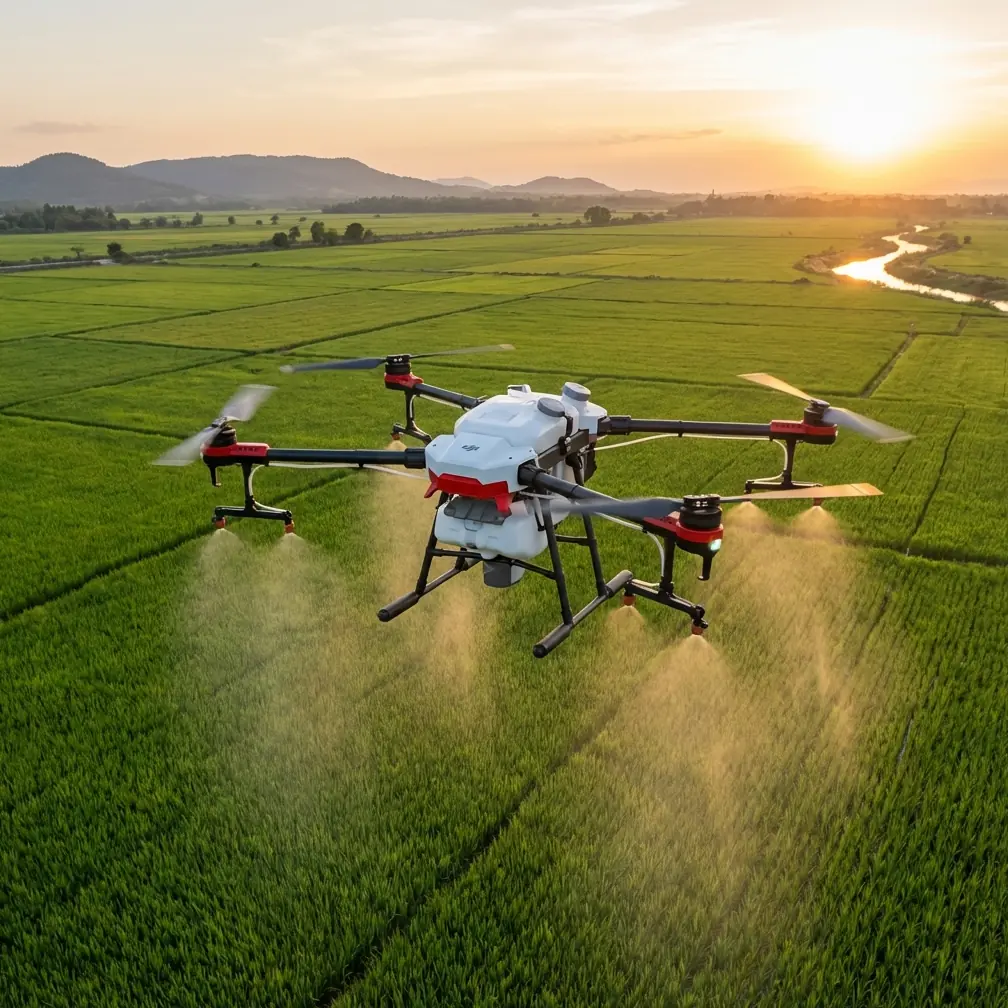
Surveying Urban Vineyards with Flip: What GS Pro-Style Mission Planning Actually Changes in the Field
META: A technical review of using Flip for urban vineyard surveying, focused on waypoint control, automated mapping routes, virtual fences, 3D orbit capture, and how these features matter when weather shifts mid-flight.
Urban vineyard surveying looks simple until you actually try to fly it.
Rows are tight. Perimeters are irregular. Nearby roads, roofs, utility lines, and tree canopies turn a clean aerial plan into a real operational puzzle. Add shifting wind between buildings and the margin for sloppy flying disappears fast. That is why the most useful conversation around Flip is not about flashy footage first. It is about controllability, route discipline, and how the aircraft behaves when a mapping task stops being ideal.
For this review, I’m looking at Flip through the lens of structured survey work in an urban vineyard environment, using the reference framework built around DJI GS Pro-style capabilities: waypoint flight, automatic mapping route generation for a defined area, virtual fencing for altitude and speed limits, and orbit capture for 3D reconstruction. Those are not abstract software bullet points. In an urban vineyard, they directly determine whether your output is usable for planning, crop observation, and site documentation.
The short version: if you approach Flip as a casual camera drone, you miss its value. If you treat it as an aerial data tool with disciplined mission logic, it becomes far more interesting.
Why urban vineyards demand planned flight, not improvised flight
A vineyard inside or near an urban footprint is one of the least forgiving places to rely on manual wandering. Vines may be planted in orderly rows, but the airspace around them rarely is. You often deal with narrow access lanes, neighboring structures, mixed elevation, and visual clutter that can interfere with maintaining a consistent survey path.
That is where waypoint-based flight becomes the foundation rather than a convenience.
The reference material highlights editable waypoint actions. Operationally, that matters because a survey flight is not just about reaching points on a map. It is about controlling what the drone does at each stage of the route: where it slows, where it changes heading, where it captures imagery, and how it transitions between row blocks or key infrastructure areas such as trellis corners, irrigation nodes, storage sheds, and retaining walls.
In a vineyard, repeatability beats improvisation. If you want to compare canopy conditions week to week, your route has to be consistent. The ability to predefine the flight path and edit actions at each waypoint means you are not trusting a pilot’s memory on a windy afternoon. You are creating a repeatable aerial inspection pattern.
That consistency becomes even more valuable when you pair it with Flip’s broader imaging and tracking strengths. Subject tracking and ActiveTrack are often framed around creative use, but in a survey-adjacent workflow they can also help during supplemental passes when you need to isolate moving equipment, monitor a worker-safe distance around active operations, or document a specific access path without breaking the structure of the main mapping mission.
Automated mapping routes are not just about saving time
One of the most practical details in the source data is the ability to define a mapping area and have the system automatically generate a survey flight path. In urban vineyard work, that feature is less about convenience and more about geometric discipline.
Hand-flown coverage tends to drift. Overlap becomes uneven. Edge coverage gets rushed. When the route is auto-generated from the defined area, you get a more systematic pass pattern that supports orthomosaic work, condition documentation, and repeat site checks.
The source document gives a useful benchmark: at a flight height of 100 meters, a single 25-minute sortie can complete mapping and route planning for about 500 mu, listed as roughly 0.3 square kilometers, while about 1 hour can cover over 1000 mu, or around 0.7 square kilometers. Even if your urban vineyard is much smaller, those numbers tell us something important. The platform logic is built for coverage efficiency, not just short cinematic hops.
In real use, that translates into fewer fragmented flights and cleaner data management. A compact urban vineyard may not need the upper end of that capacity, but the efficiency reserve helps when the property includes adjacent access roads, drainage channels, parking areas, tasting facilities, or slope transitions that also need documentation.
And there is another angle. Urban sites often come with limited flight windows. Maybe nearby activity increases later in the day. Maybe local wind patterns build after midday. Maybe you only have a narrow maintenance slot when the vineyard is clear of vehicles and staff. An auto-generated mapping route helps compress the work into that window without sacrificing coverage logic.
The weather turned mid-flight. This is where the mission design proved itself.
On paper, the day looked fine. Light morning air, decent visibility, soft cloud cover. Ideal for a vineyard survey because contrast across the vine rows stays manageable and reflective surfaces are less aggressive than under hard sun.
Then the wind shifted.
Not a dramatic storm front. Nothing cinematic. Just the kind of gradual but annoying weather change that urban pilots know well: air movement starts curling around buildings, gusts become less predictable near the edge of the property, and the neat straight lines you planned begin to feel less neat in the sticks.
This was exactly the moment when the value of structured mission planning separated itself from casual flying.
Because the route had already been defined, Flip was not “figuring out” the job in the air. It was executing one. The virtual fence parameters mattered here more than anything else. The reference data describes virtual fencing as a way to restrict flight altitude and speed within a defined area. In operational terms, that is risk control. In an urban vineyard, it prevents the aircraft from drifting into a faster, higher, less controlled flight profile just because the pilot is reacting to changing conditions.
When the gusts started to push across the open edge of the vines, the speed limit inside the virtual boundary helped keep image capture more consistent. That is not glamorous, but it is exactly the kind of thing that preserves data quality. Fast corrections can ruin overlap and perspective. Controlled movement protects the survey.
Obstacle avoidance also becomes much more than a spec-sheet phrase in these moments. Around vineyard margins, you may have wires, poles, pergolas, isolated trees, or rooftop edges depending on the surrounding urban fabric. As the air got less predictable, maintaining a conservative automated route with obstacle-aware behavior meant the aircraft stayed inside a known envelope rather than forcing a hurried manual detour.
This is the difference between a drone surviving a flight and a drone finishing a task properly.
3D orbit capture is especially useful in vineyard sites with structures
The source material also references orbital mapping capture around a target, followed by software-based 3D reconstruction. That can sound secondary if your main job is row-by-row survey work, but for urban vineyards it is often one of the smartest secondary missions you can run.
Why? Because vineyards in developed settings are rarely just vines. They include walls, terraces, drainage features, storage buildings, small processing spaces, visitor infrastructure, and slope-retention elements. A standard overhead map won’t fully represent those vertical surfaces.
An orbit capture around a retaining wall, pump house, equipment shed, or elevated terrace can generate the imagery needed for a 3D site view. That has practical value for maintenance planning, drainage assessment, and documenting how built features interact with vine blocks. If a site manager wants to understand erosion around a slope edge or the condition of a structure near the rows, a 3D reconstruction gives context that a flat orthographic output cannot.
This is also where Flip’s imaging-oriented features can serve double duty. D-Log, for example, is usually discussed by creators who want more room in color grading. In a technical workflow, that wider image flexibility can help when the site has mixed lighting—bright concrete, dark foliage, reflective roofing, and shaded row sections all in one mission. You may not be making a film, but tonal control still matters when documenting site conditions clearly.
QuickShots and Hyperlapse are not core survey tools, but I would not dismiss them outright in this kind of operation. For stakeholder reporting, especially with vineyard owners or urban planners who are not drone specialists, a short motion sequence can communicate terrain relationships and access constraints faster than static frames alone. Used sparingly, these modes can help bridge the gap between raw data and decision-maker understanding.
Scale limits tell you how to plan the job
The reference includes several technical thresholds that deserve attention.
One is the current limit of 99 waypoints. Another is a maximum mapping scale of 500 images in the referenced version. Flight height is listed from 5 to 500 meters, with 100 meters identified as the default optimal working height. Real-time mapping image resolution is given as 960 × 720, while exported images reach 4864 × 3648.
These numbers are not trivia. They affect how you break down an urban vineyard mission.
The 99-waypoint limit means you should avoid overcomplicating a single route if the property has many sub-zones or turns. It is usually better to split the job into logical segments: primary vine rows, perimeter inspection, and targeted structure documentation. Cleaner task segmentation reduces operator confusion and improves repeatability during future visits.
The image cap matters for properties with dense documentation needs. If you need both broad mapping coverage and detailed structure passes, treating them as separate missions will keep your reconstruction workflow cleaner. It also helps with QA afterward, since you can quickly verify whether the vineyard coverage met overlap expectations before moving on to the secondary 3D targets.
The altitude range matters because urban vineyards often force compromises between legal limits, site geometry, and data needs. While 100 meters may be the default efficient height in the reference material, that does not mean it is always the right operational choice in a city-adjacent agricultural site. Lower heights may be better for vine-level detail, especially if neighboring buildings create line-of-sight complexity or if the parcel itself is compact. What matters is that the mission planning framework supports deliberate altitude selection rather than ad hoc judgment in the field.
Flip works best when the pilot thinks like a survey manager
There is a temptation with compact drones to treat them as lightweight tools for quick capture and little more. That undersells what a disciplined workflow can produce.
For urban vineyard surveying, the real strength is not any single flight feature in isolation. It is the combination of automated area mapping, editable waypoint logic, virtual boundary control, and 3D orbit capture. Together, those functions create a workflow that supports both broad-area documentation and fine-grained site interpretation.
That matters on the ground.
A vineyard manager may want repeatable canopy overviews. A property team may need to inspect terrace edges after heavy rain. A planner may want a 3D understanding of how built structures sit against productive rows. A consultant may need visual records of access constraints without spending half the day hand-flying correction passes. Flip becomes useful when it can move between those demands without forcing the operator to reinvent the mission each time.
And when weather shifts mid-flight, that preparation stops being theoretical. The aircraft’s job is not to look composed in the sky. Its job is to stay within a planned operational envelope and bring back usable data. In this review scenario, that is where the system design proved its worth.
If you’re evaluating whether this kind of workflow fits your own site, it helps to talk through your parcel layout, row density, and nearby urban constraints before the first mission; you can start that conversation here: message a Flip workflow specialist.
Final assessment
For surveying vineyards in urban settings, Flip makes the most sense when paired with mission discipline rather than spontaneous flying. The GS Pro-style planning logic in the reference material is the key story here. Editable waypoint actions improve repeatability. Automated area route generation reduces overlap errors and saves precious flight-window time. Virtual fences are not decorative safeguards; they are operational controls that become especially valuable when wind shifts around urban obstacles. Orbit-based capture adds a meaningful second layer for 3D documentation of walls, sheds, terraces, and other built features.
The source benchmark of about 500 mu in 25 minutes at 100 meters and over 1000 mu in around an hour shows that this planning model was designed around productive fieldwork. Even on smaller vineyard parcels, that efficiency translates into calmer, cleaner missions.
If I were deploying Flip on an urban vineyard tomorrow, I would not lead with the cinematic features. I would build the job around mapping geometry, waypoint precision, and airspace discipline. Then I would use the creative tools selectively where they improve communication.
That is the difference between flying over a vineyard and actually surveying one.
Ready for your own Flip? Contact our team for expert consultation.