
Flip for Highways: An Expert Field Guide to Reading Urban
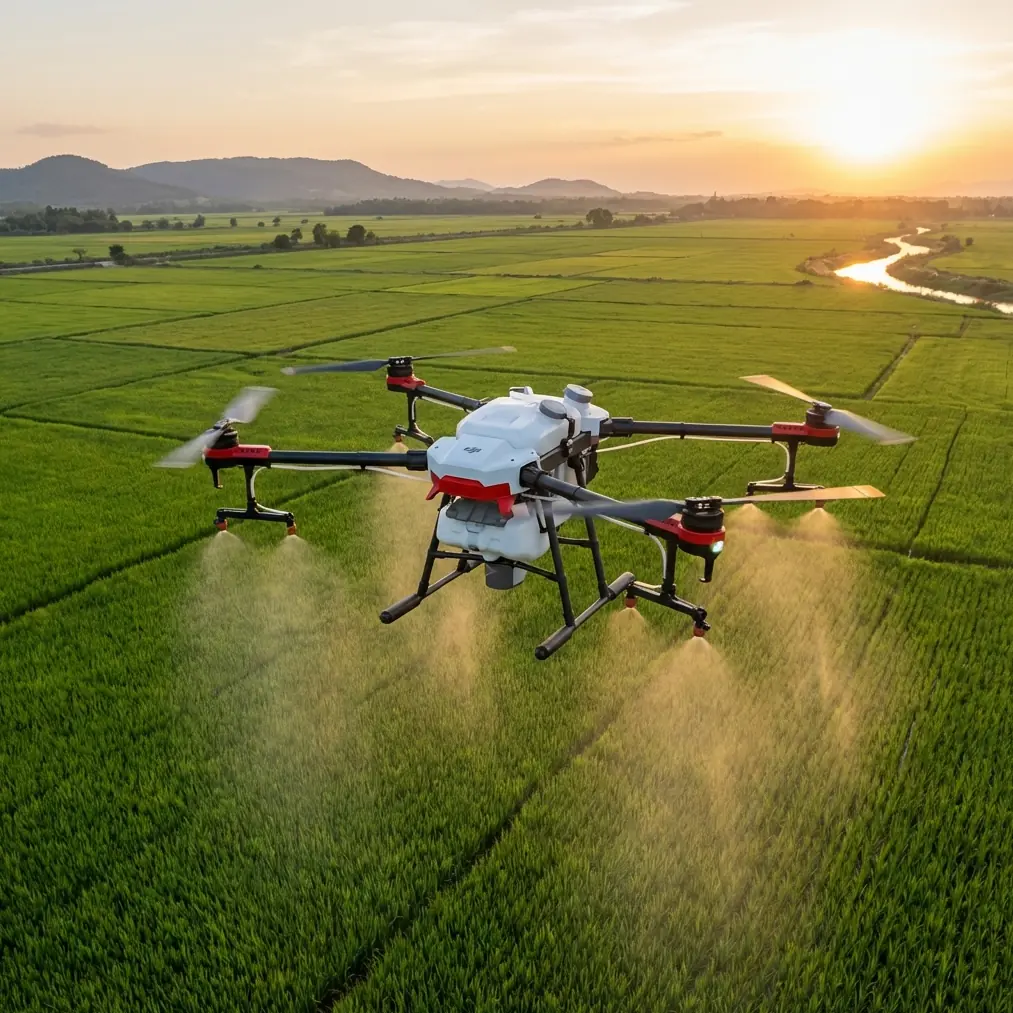
Flip for Highways: An Expert Field Guide to Reading Urban Flow from the Air
META: Learn how to use Flip for urban highway tracking with safer flight planning, ActiveTrack techniques, obstacle awareness, and cinematic timing inspired by drone-shot autumn scenery over Wushan.
Urban highway work looks simple until you actually launch.
From the ground, a road corridor feels linear and obvious. From the air, it becomes a layered moving system: overpasses, lane splits, reflective barriers, changing light, crosswinds between buildings, and vehicles entering the frame from every direction. If you’re using Flip to document highway conditions, traffic rhythm, construction progress, or infrastructure context, the challenge is not just getting footage. It’s getting footage that tells the truth of the corridor without losing stability, safety, or visual clarity.
That’s where good drone practice starts to resemble landscape reading.
A recent Xinhua drone photo set over Wushan in the Yangtze River Three Gorges region captured something many operators overlook. The same location changed character from morning to dusk, and from rosy dawn clouds to evening glow, each phase carrying a different visual mood. One image showed a sky filled with sunrise color. Another highlighted the first morning sun. A third emphasized clear blue sky and white clouds. Those details may sound poetic, but for a highway operator using Flip in an urban setting, they are operationally useful. Light direction, atmospheric clarity, and time-of-day consistency decide whether your footage reveals road geometry cleanly or buries it in glare and haze.
This guide is built around that idea: don’t treat urban highway tracking as a generic flight. Treat it as a timed visual survey.
Why the Wushan lesson matters for highway tracking
The Wushan aerials were not just pretty seasonal images. They demonstrated that one site can produce completely different airborne results depending on when the drone is in the sky. That matters even more over roads.
Highways are full of surfaces that react aggressively to light. Windshields flare. Painted lane markings bloom in harsh angles. Concrete decks flatten under overhead sun. Shadows from sound barriers and flyovers can hide merge points. If your mission is to monitor traffic flow, document civil works, or produce recurring corridor updates, you need repeatable conditions.
The Wushan reference gives us three useful field cues:
Early light reveals form.
The mention of morning glow and first sun points to low-angle illumination. On highways, that helps define barriers, embankments, ramps, and vertical separations. It can make a multilayer interchange easier to read.Clear skies improve corridor legibility.
The blue-sky, white-cloud condition matters because clean weather often gives better contrast across long stretches of road. When you’re tracking an urban artery, visual separation between pavement, structures, vegetation, and surrounding buildings becomes more reliable.A single location has multiple valid stories.
Wushan looked different from dawn to dusk. The same is true for any urban highway. Morning may best show inbound flow. Late afternoon may reveal outbound congestion patterns. Golden-hour footage can be more cinematic, but mid-morning may be more useful for inspection-oriented capture.
That is the first principle of using Flip well: choose the light based on the job, not just the look.
Step 1: Define what “tracking highways” actually means
Before touching controls, decide what kind of tracking you need. With Flip, urban highway work usually falls into one of four civilian categories:
- Progress documentation for roadworks, bridge expansion, resurfacing, or interchange construction
- Traffic pattern visualization for planners, developers, or media teams
- Asset context capture for engineering reports, showing approaches, exits, adjacent land use, and spatial relationships
- Training and communication footage for internal briefings, presentations, and route familiarization
Each objective changes how you use features like ActiveTrack, QuickShots, Hyperlapse, and manual corridor passes.
If the goal is inspection context, you want stable, readable movement with minimal dramatic motion. If the goal is public-facing communications, you may combine broad establishing shots with selected tracked movement. If the goal is recurring comparison, consistency beats creativity.
Step 2: Pick the time window like a surveyor, not a tourist
The Wushan aerial reference is a reminder that time selection is not a cosmetic decision.
Best windows for urban highway tracking with Flip
Early morning is often the strongest option when you need:
- lower glare
- cleaner separation between road geometry and surroundings
- lighter air traffic in some urban areas
- more controlled traffic storytelling during commute build-up
Mid-morning under clear skies works well for:
- neutral documentation
- recurring mapping-style visual records
- progress updates where even lighting is more useful than dramatic shadows
Late afternoon to dusk can help when:
- you need to show directional flow changes
- the corridor’s city relationship matters visually
- you want stronger texture on ramps and embankments
The Wushan example specifically mentions visual variation from dawn to dusk, and that should shape your operating mindset. If your stakeholder wants a reliable highway story, a single launch window may not be enough. Two short flights at different times can produce more useful information than one long flight at a visually awkward hour.
Step 3: Build a safe urban corridor plan around obstacles
Urban highways are obstacle-rich environments. This is where Flip’s obstacle awareness and route discipline matter more than cinematic ambition.
Typical corridor hazards include:
- overhead sign gantries
- light poles
- elevated ramps
- transmission lines near road edges
- noise barriers
- adjacent towers that create turbulent air
- pedestrian bridges
- cranes near active construction zones
For this kind of work, obstacle avoidance is not a feature you vaguely trust in the background. It is one layer in a wider operating method. You should still maintain conservative spacing, previsualize escape routes, and avoid relying on automation in tight geometry.
A practical approach:
- Start with a high, wide establishing pass to identify vertical hazards.
- Mark likely signal-loss pockets or wind-shear areas created by tall buildings.
- Keep your main tracking line offset from the roadway centerline when possible, so the aircraft can maintain safer lateral space from structures.
- Use shorter, modular passes instead of one continuous heroic run through every interchange.
The best urban highway footage rarely comes from the riskiest path.
Step 4: Use ActiveTrack selectively, not blindly
Many pilots hear “subject tracking” and immediately think vehicle follow shots. That can work, but on a busy urban highway it needs judgment.
ActiveTrack is most useful when:
- traffic density is moderate
- one target vehicle is visually distinct
- surrounding structures are predictable
- your intended path does not force the drone into complex overhead obstacles
It becomes less reliable when:
- many similar vehicles crowd the frame
- overpasses repeatedly interrupt line-of-sight
- the visual scene is cluttered
- direct sunlight produces strong reflections
For highway storytelling, I often recommend tracking the movement pattern rather than obsessing over one car. A slightly elevated offset shot that follows lane flow can say more about road behavior than a tight lock on an individual vehicle.
And here’s where the narrative spark matters. On one urban-edge corridor flight, a small bird cut across our frame from the roadside planting strip and climbed unexpectedly toward the drone’s path. The sensors recognized the intrusion early enough for us to break the move and reposition without forcing a rushed manual correction. That’s not a dramatic wildlife story. It’s a practical reminder that urban roads are ecological edges too. Pigeons, swifts, kites, and other birds use thermal lift around concrete structures and open medians. Flip’s sensing can help, but your real advantage is expecting that encounter before it happens.
Step 5: Design shots that actually explain the road
Highway footage fails when every shot looks like generic drone movement. The corridor should become easier to understand after the viewer watches it.
A useful urban highway shot sequence with Flip might look like this:
1. Establishing rise
Begin with a gentle ascent revealing how the highway sits within the city grid. This gives context to interchanges, feeder roads, and nearby development.
2. Offset tracking pass
Fly parallel to the main carriageway instead of directly above it. This preserves depth and shows lane behavior more clearly.
3. Interchange reveal
Use a controlled orbit or angled lateral move to explain how ramps split and reconnect. QuickShots can help here, but only if the geometry stays readable.
4. Compression shot toward the horizon
A forward push can show density and directional flow, especially in morning or evening light.
5. Static overhead for analysis
For operational users, a short stable top-down segment can be more valuable than any cinematic move.
6. Hyperlapse sequence
If your aim is to communicate traffic rhythm over time, Hyperlapse can condense long flow changes into a format planners and clients can understand quickly.
The lesson from Wushan applies again: one place, many moods. One highway, many functions. Your shots should reflect that variety.
Step 6: Capture for grading, not just immediate viewing
If the highway project has any editorial value beyond social posting, consider shooting in D-Log where appropriate. Road environments are contrast-heavy. Bright sky, dark underpasses, reflective vehicles, pale concrete, deep shadows under elevated structures—this is exactly the kind of scene where a flatter profile can preserve more usable tonal information.
Why it matters operationally:
- better highlight retention in bright sky conditions
- more flexibility balancing shaded and sunlit sections
- improved consistency across flights captured at different times
That said, D-Log only helps if your post workflow can handle it. For quick stakeholder review, standard color may be more efficient. Match the profile to the delivery need.
Step 7: Use QuickShots with restraint
QuickShots can add variety, but they are not a substitute for a corridor plan. In urban highway work, automated cinematic moves are most useful at transition points:
- opening a sequence
- revealing an interchange
- showing the highway’s relationship to nearby districts
- introducing a bridge or elevated section
They are least useful when detail recognition matters. If the viewer needs to assess lane layout or construction staging, a flashy automated move can hide the exact information they came to see.
Think of QuickShots as punctuation, not the whole sentence.
Step 8: Build a repeatable tutorial workflow
If you’re training a team or standardizing output, use this repeatable field workflow for Flip:
Pre-flight
- Confirm legal flight permissions and local restrictions
- Check weather, with special attention to visibility and wind between structures
- Study sunlight angle for the chosen corridor direction
- Identify obstacles, emergency holding areas, and safe launch points
- Decide whether the mission is documentation, tracking, or time-compression
Flight 1: Context pass
- Wide and high
- Slow, stable
- Goal: understand the entire corridor visually
Flight 2: Operational pass
- Lower but still conservative
- Use ActiveTrack only where the environment is clean enough
- Capture offset motion along the road
Flight 3: Analytical pass
- Static or gently moving top-down segments
- Focus on merge zones, ramps, bottlenecks, or work fronts
Flight 4: Story pass
- Selective QuickShots, reveal moves, or Hyperlapse
- Designed for presentations or public communication
This kind of workflow keeps your footage useful to both technical viewers and general audiences.
Step 9: Don’t ignore atmosphere
The Wushan drone images mattered because they showed atmosphere changing the same landscape across the day. In urban highway work, atmosphere changes the reading of movement.
After rain, pavement reflections can obscure markings. Haze can flatten a long corridor. Crisp autumn air, like the conditions described in Wushan, often gives you cleaner visibility and stronger separation across distance. That can make a major difference if your job is to explain how a highway threads through dense urban surroundings.
So yes, season matters. Not in an abstract scenic sense. In a visibility, contrast, and repeatability sense.
Step 10: Review the footage like an operator
After landing, ask three questions:
- Can a viewer understand the road layout without explanation?
- Does the footage show traffic or infrastructure behavior clearly enough to support the project purpose?
- Would the same route flown again next month produce a comparable result?
If the answer to the third question is no, your method is still too improvised.
That is why the Wushan reference is more instructive than it first appears. A drone didn’t just capture beauty there. It captured how timing changes visual meaning. Over highways, that same truth determines whether your footage is decorative or genuinely informative.
If you’re refining a highway workflow with Flip and want a second set of eyes on route planning, shot structure, or feature setup, you can message the flight desk here.
Final thought
Flip is most effective on urban highways when you stop thinking like a gadget owner and start thinking like an aerial interpreter. The aircraft’s strengths—obstacle awareness, subject tracking options, Hyperlapse, QuickShots, and flexible color capture—only become valuable when the operator understands time, light, spacing, and the logic of the corridor.
A clear autumn morning over Wushan, with sunrise color, first light, and blue sky over a landscape that keeps changing from dawn to dusk, offers a surprisingly strong lesson for road work in the city: the air tells the truth differently every hour. Fly accordingly.
Ready for your own Flip? Contact our team for expert consultation.